Introduction
A passing light effect adds a sleek, cinematic highlight that moves across text, making it feel polished and dynamic. In After Effects, you can achieve this look using CC Radial Fast Blur, blending modes, and simple layer duplication. In this tutorial, you’ll learn how to create a smooth light sweep animation step by step.
Step 1: Create a New Composition
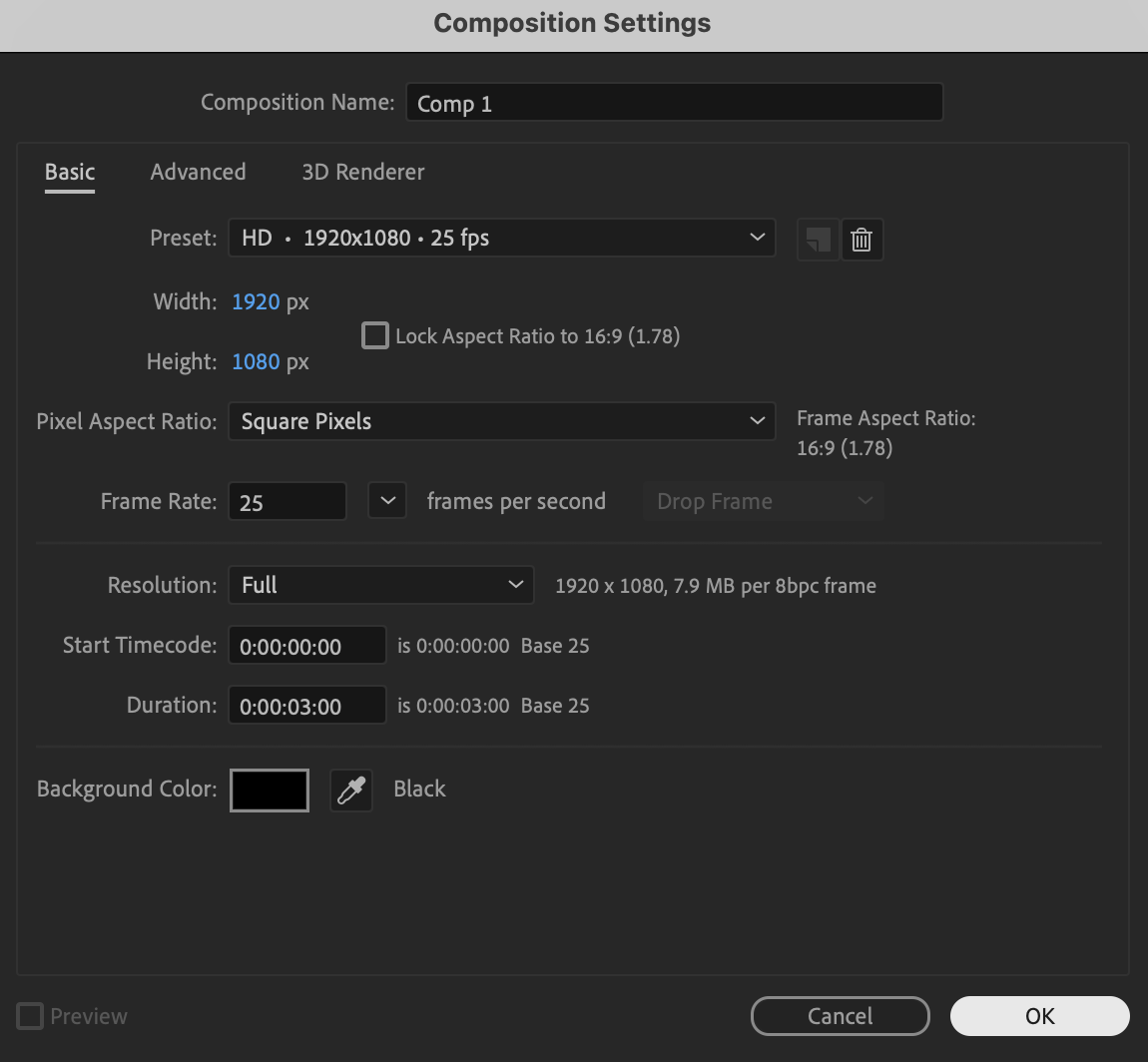
Click New Composition, choose your desired resolution and frame rate, and press OK to create your working timeline.
 Step 2: Create Your Text
Select the Type Tool (Ctrl/Cmd + T), click in the Composition panel, type your text, and set the text color to White in the Character panel.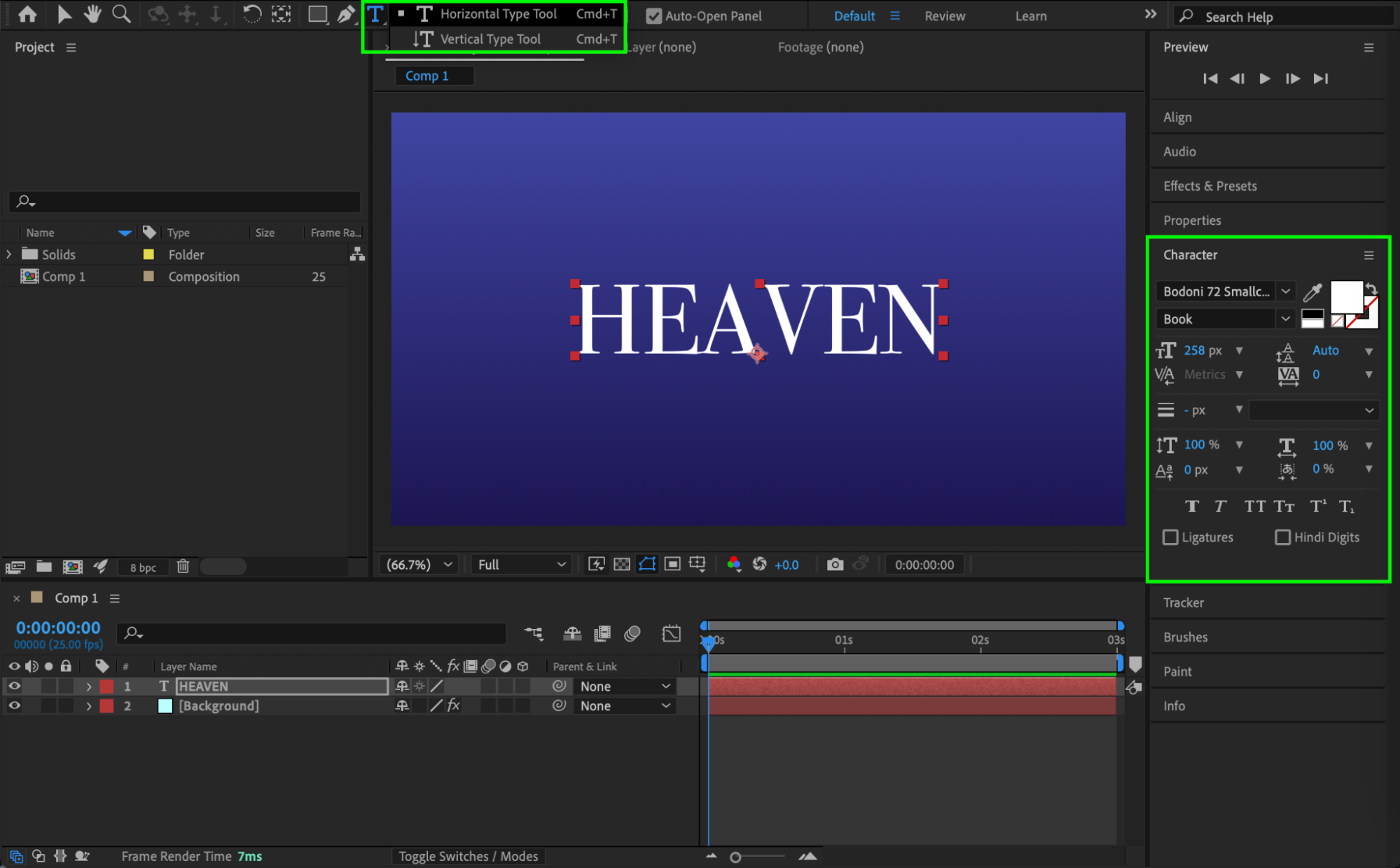
Get 10% off when you subscribe to our newsletter

Step 3: Apply and Animate CC Radial Fast Blur
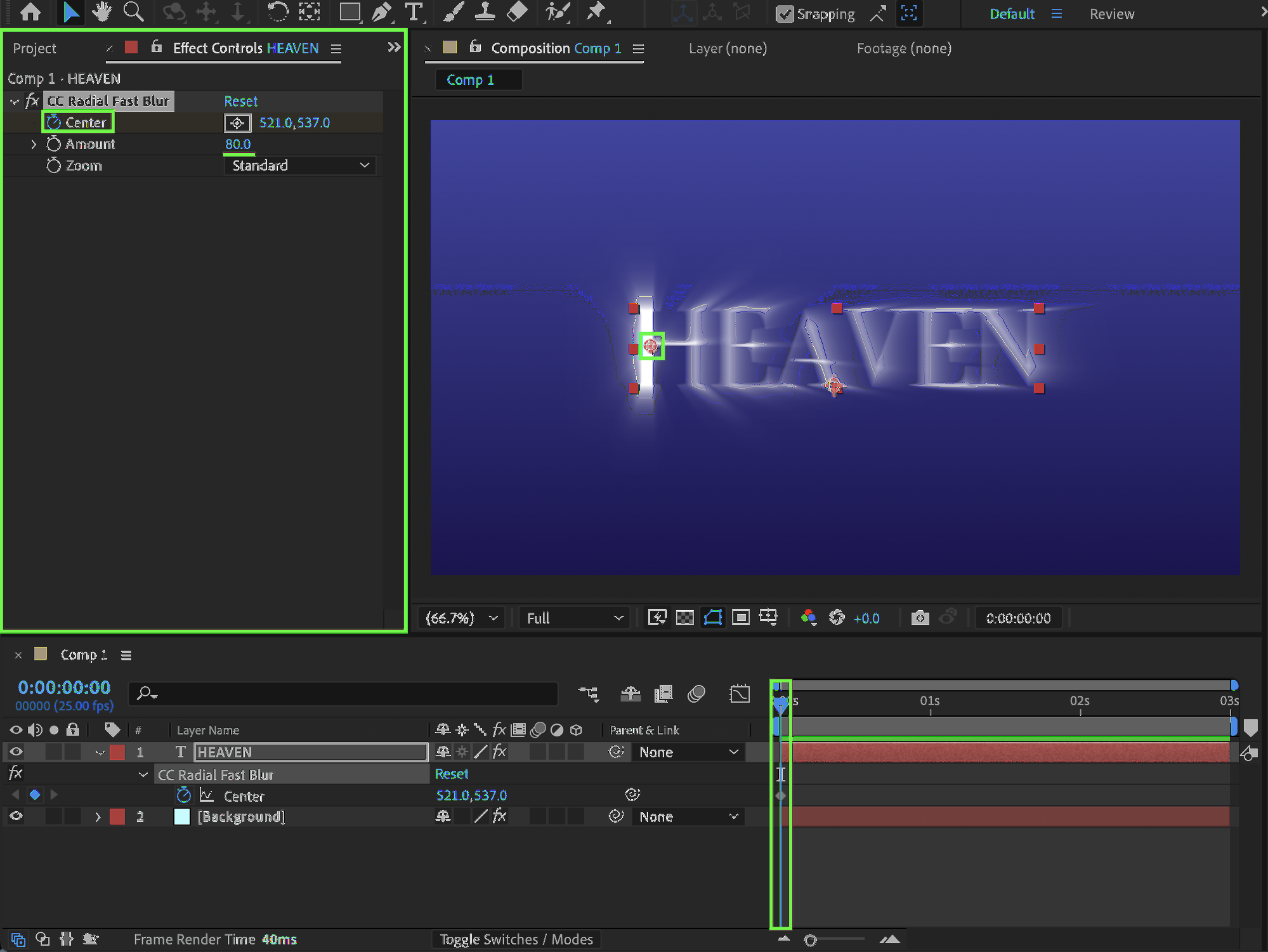
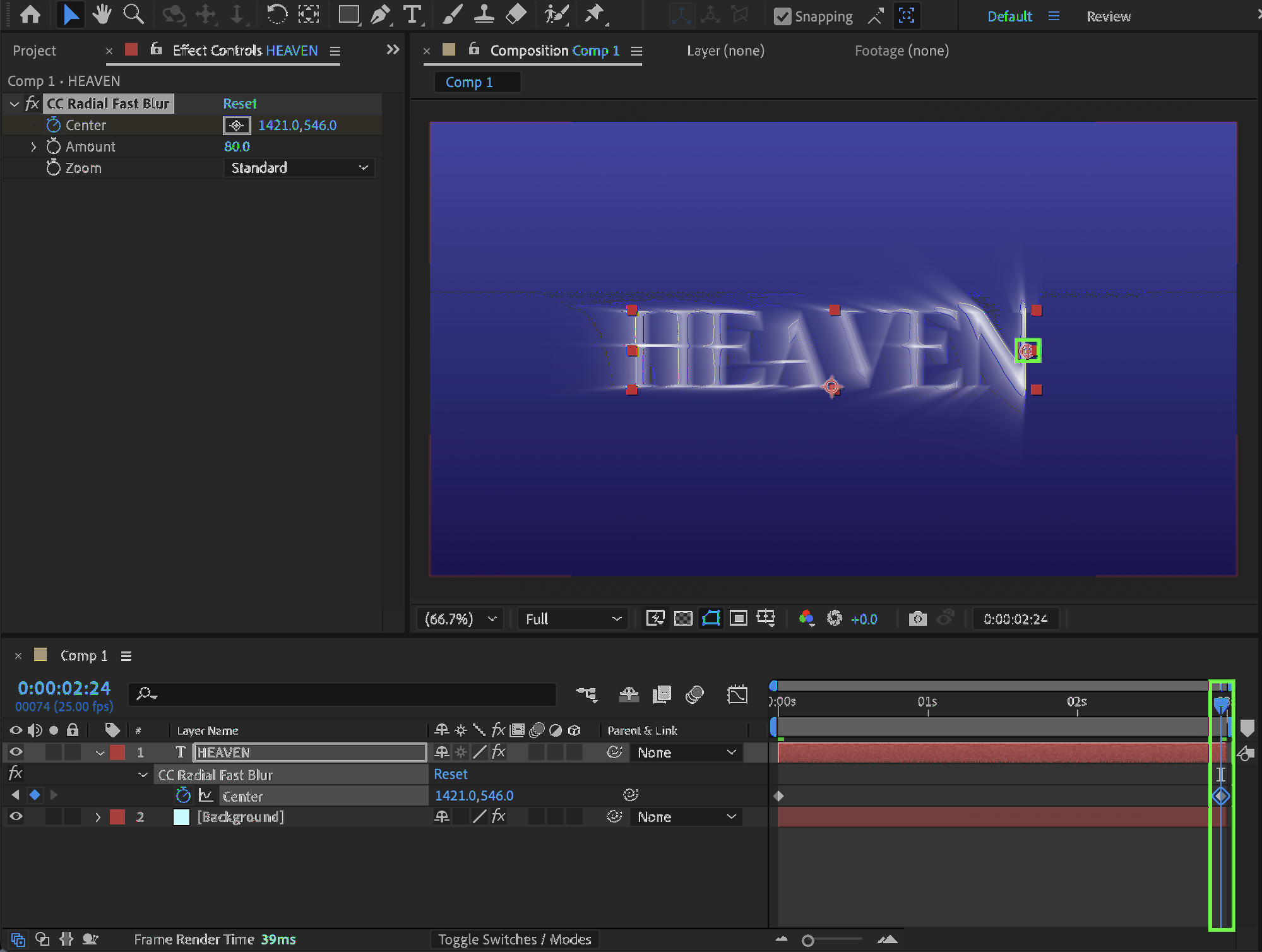
Open the Effects & Presets panel, apply CC Radial Fast Blur to the text layer, set Amount to 80, then animate the Center property by placing it in the middle of the first letter at the beginning of the composition and moving it to the middle of the last letter at the end of the composition to create a traveling light effect.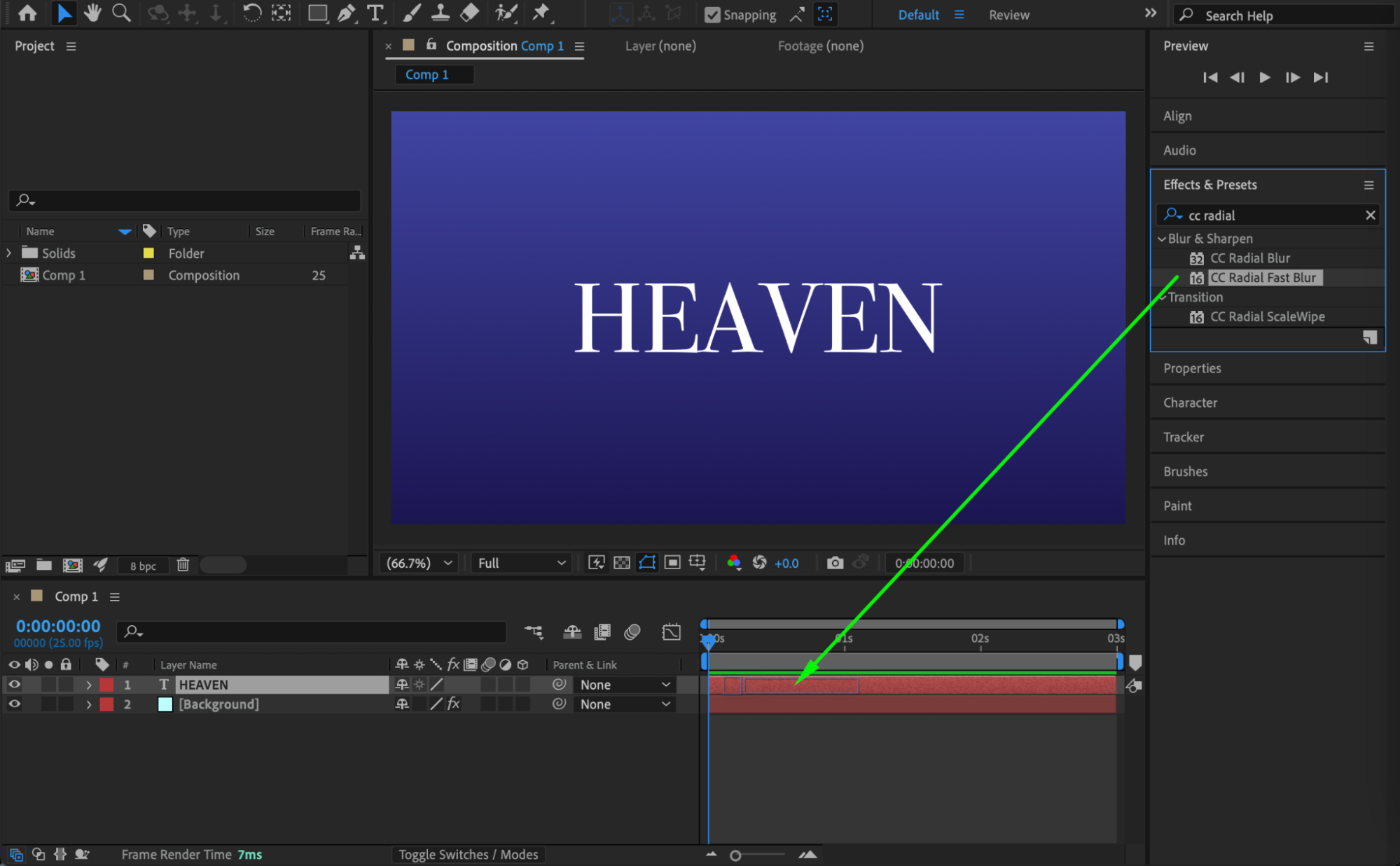
 Step 4: Duplicate and Set Blending Mode
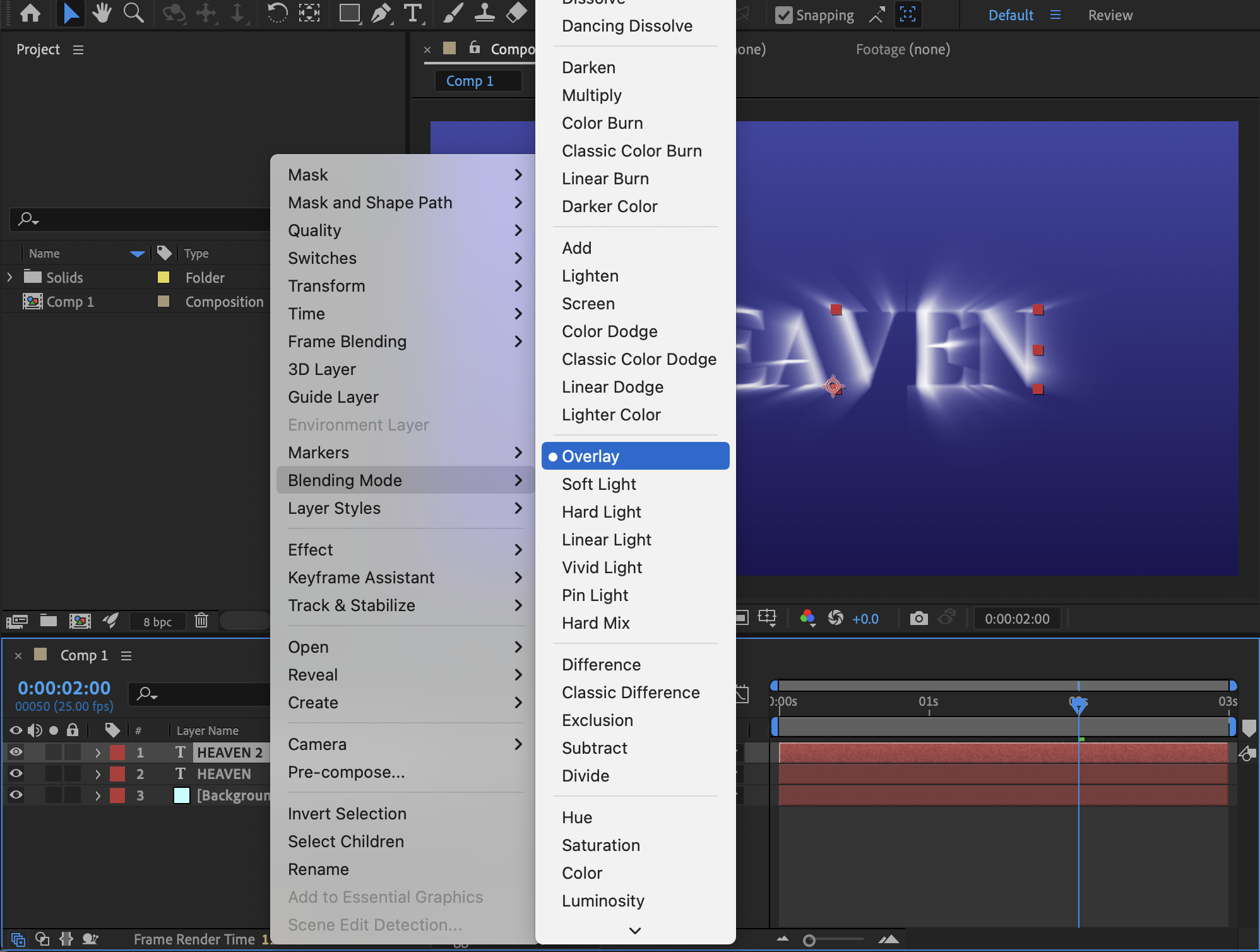
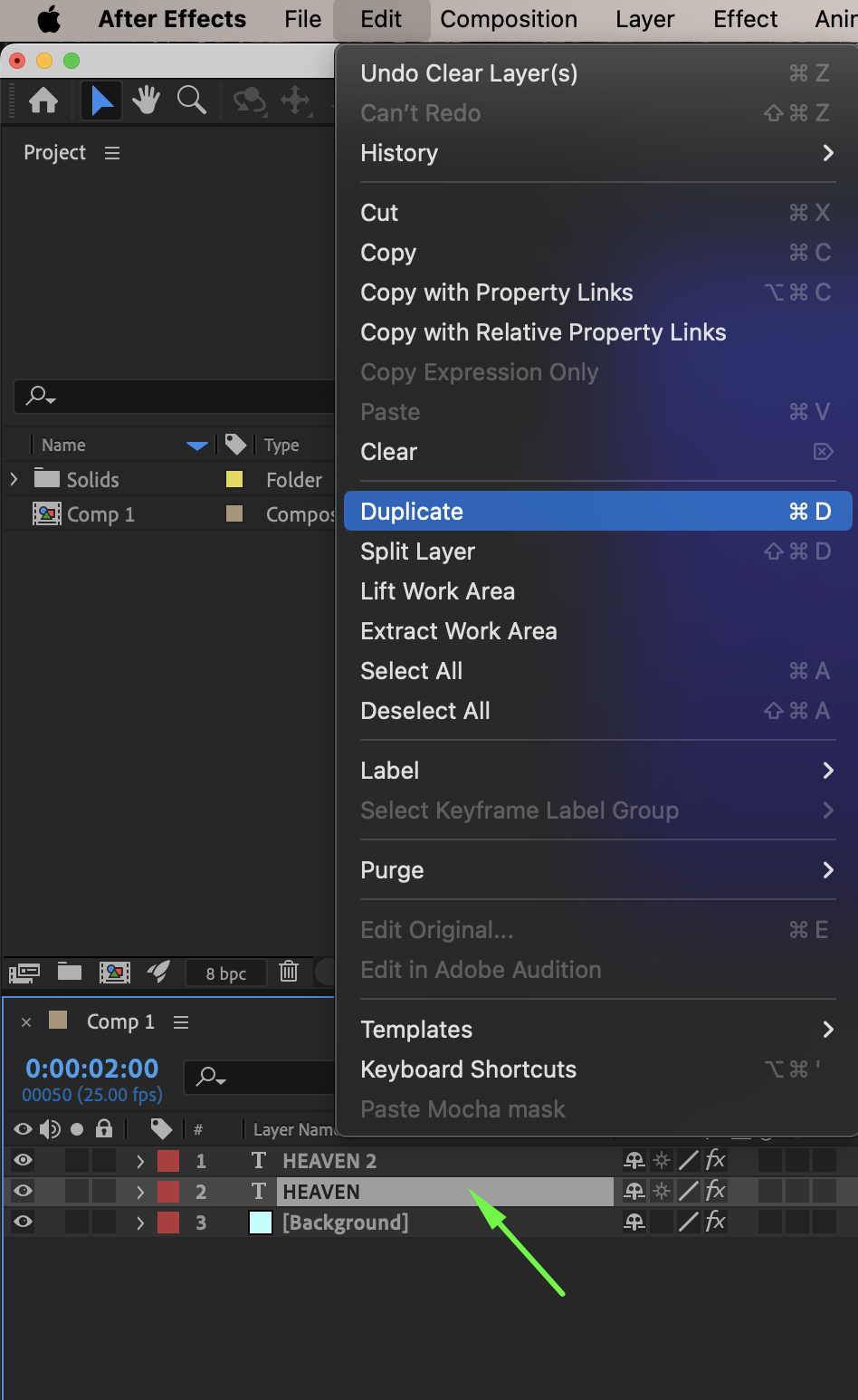
Duplicate the text layer using Ctrl/Cmd + D, then right-click the duplicate and set its Blending Mode to Overlay to enhance brightness and contrast.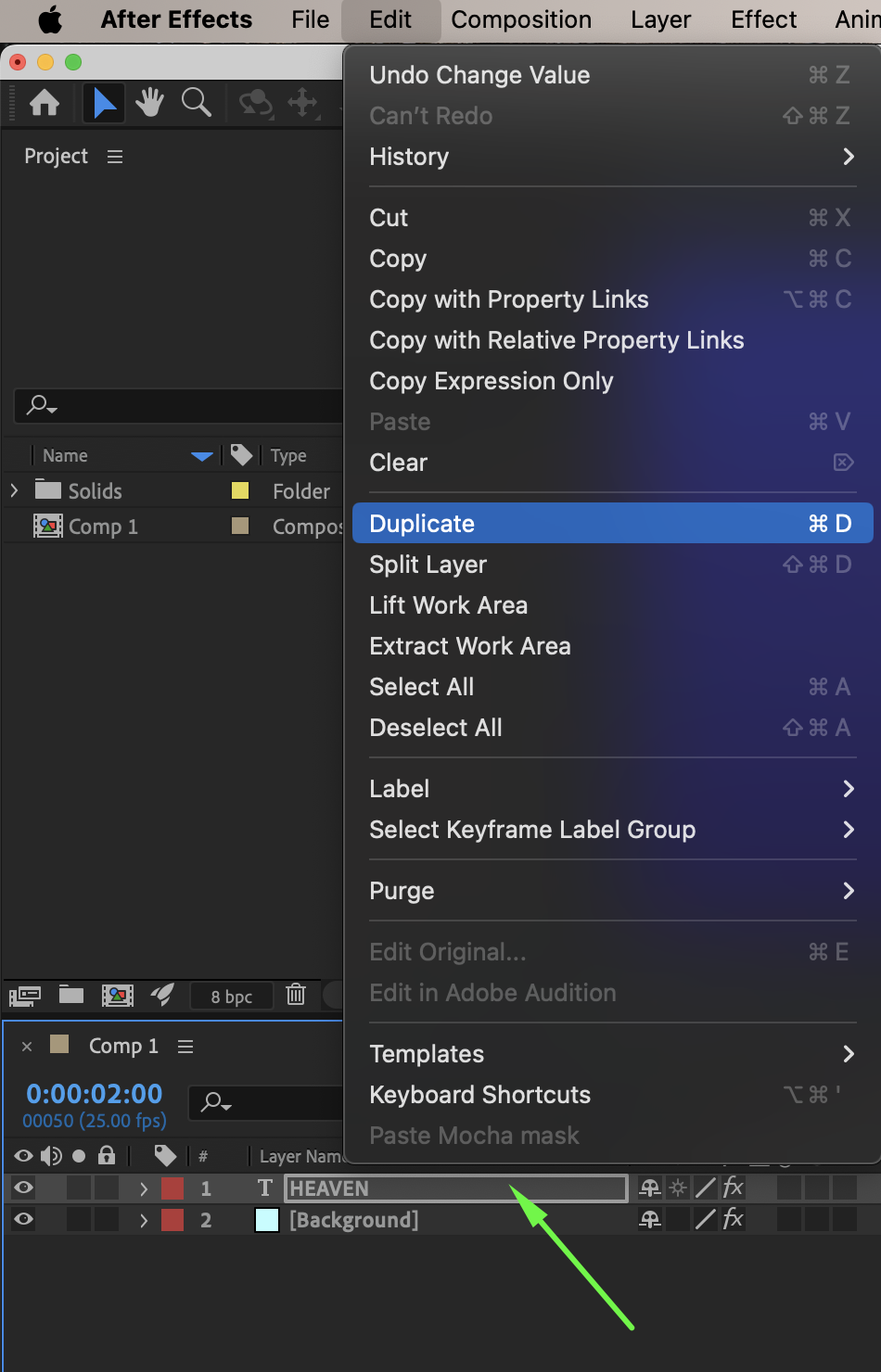
 Step 5: Adjust the Base Color (Optional)
Optionally, change the original text layer’s color to a light yellow or light blue to create a warmer or cooler lighting effect.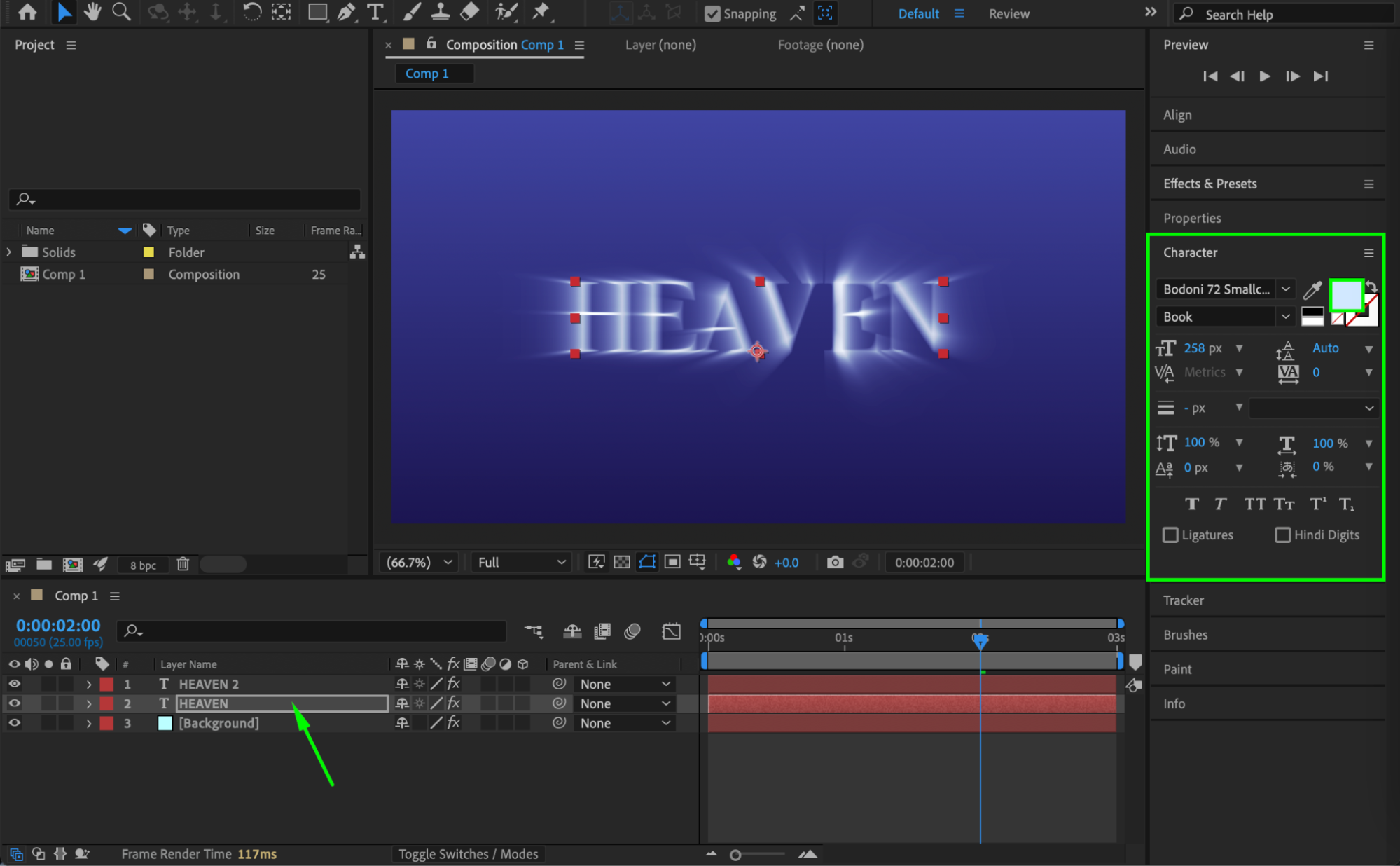
Step 6: Create a Thin Outline Layer
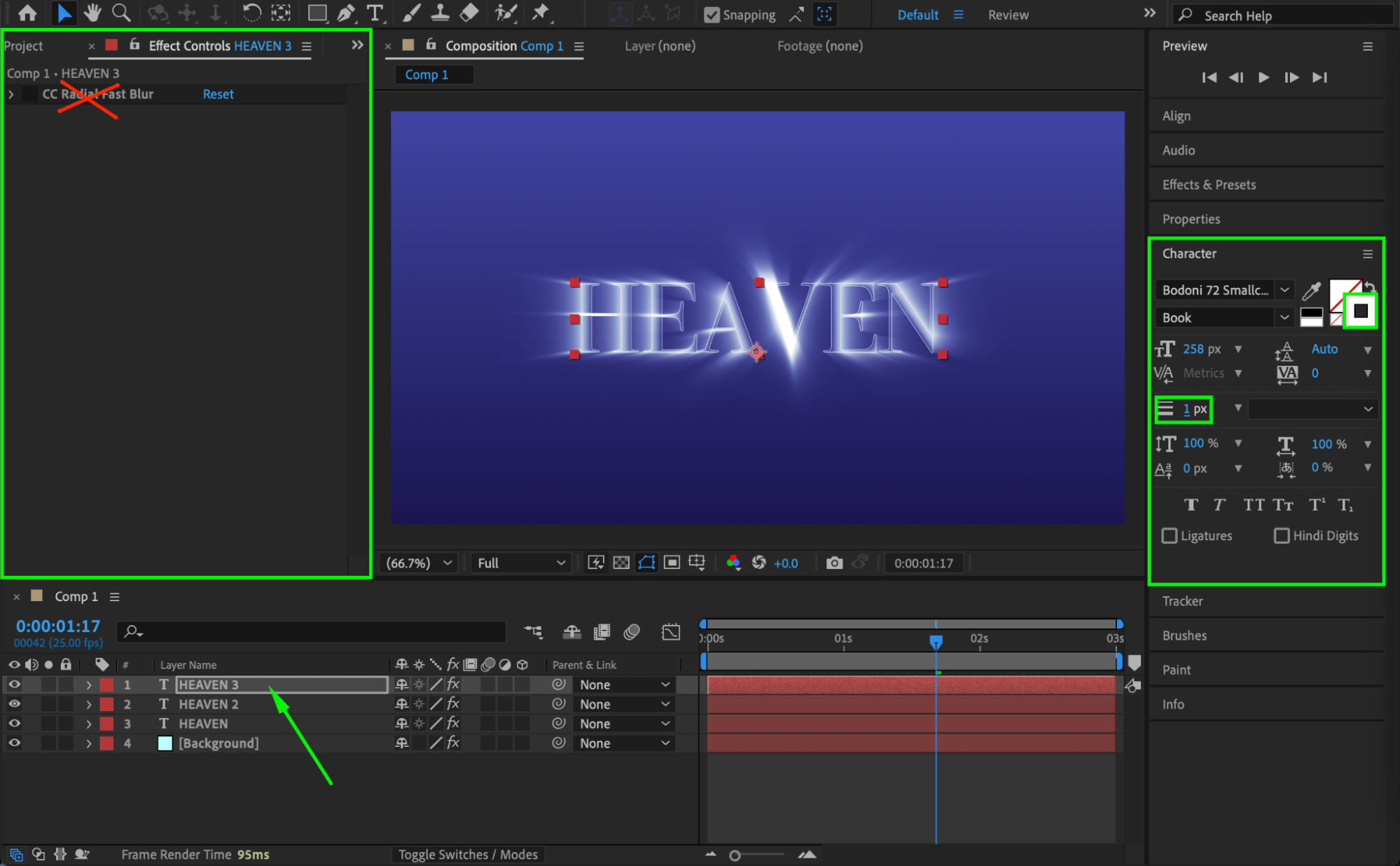
Duplicate the original text layer again, move it to the top of the layer stack, remove the CC Radial Fast Blur effect from the Effect Controls panel, then set Fill to None and Stroke to White (1 px) to create a clean outline highlight.
 Step 7: Preview the Animation
Press Spacebar or use RAM Preview to play the animation and adjust the blur center timing or blending settings if needed.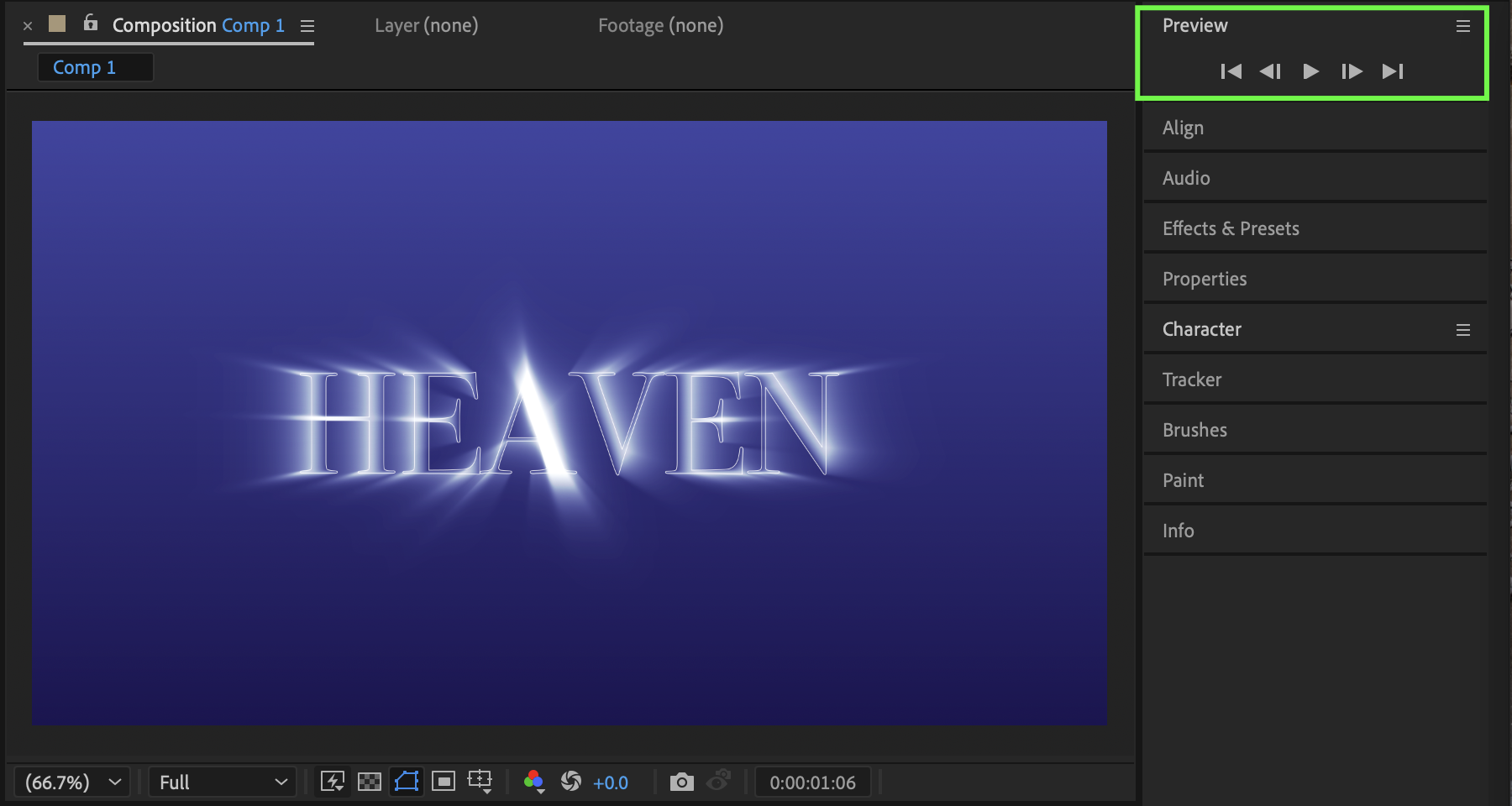
Conclusion
By animating the Center property of CC Radial Fast Blur and combining blending modes with subtle color adjustments, you can create a professional passing light effect on text in After Effects. This technique is perfect for titles, logo reveals, and cinematic typography animations.
Our Bestsellers
Our Bestsellers


