Introduction
A jumping logo animation adds energy and motion to your intro or branding sequence. In this tutorial, you will learn how to create a smooth bouncing jump effect using Position and Rotation keyframes, Easy Ease, and the Speed Graph in After Effects.
Step 1: Import Your Logo
Go to File → Import → File and select your logo file from your computer to bring it into the Project panel.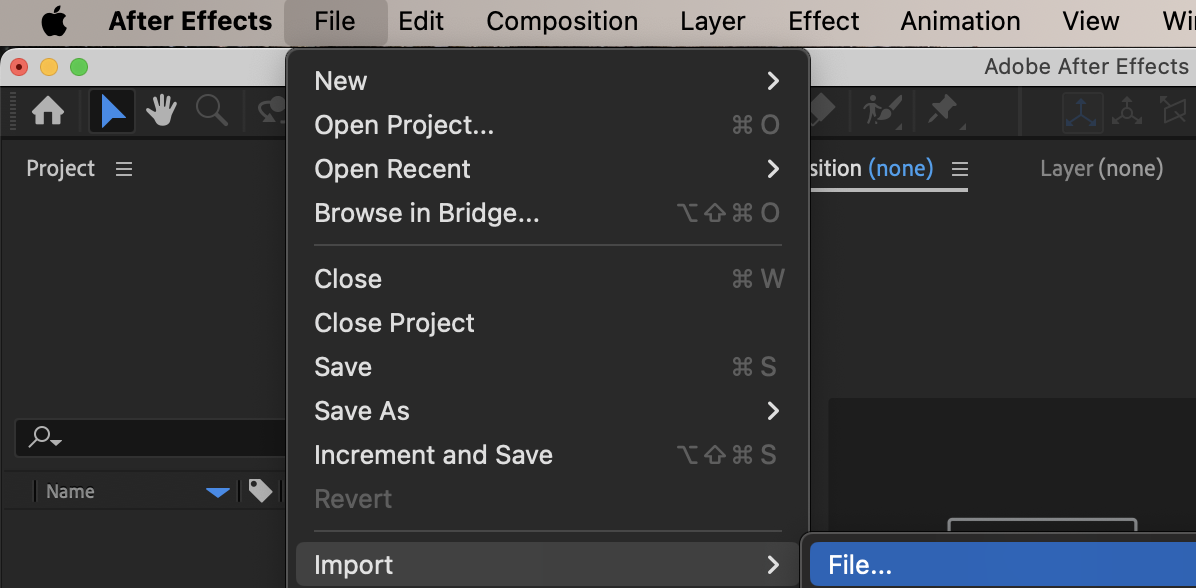
Step 2: Create a New Composition
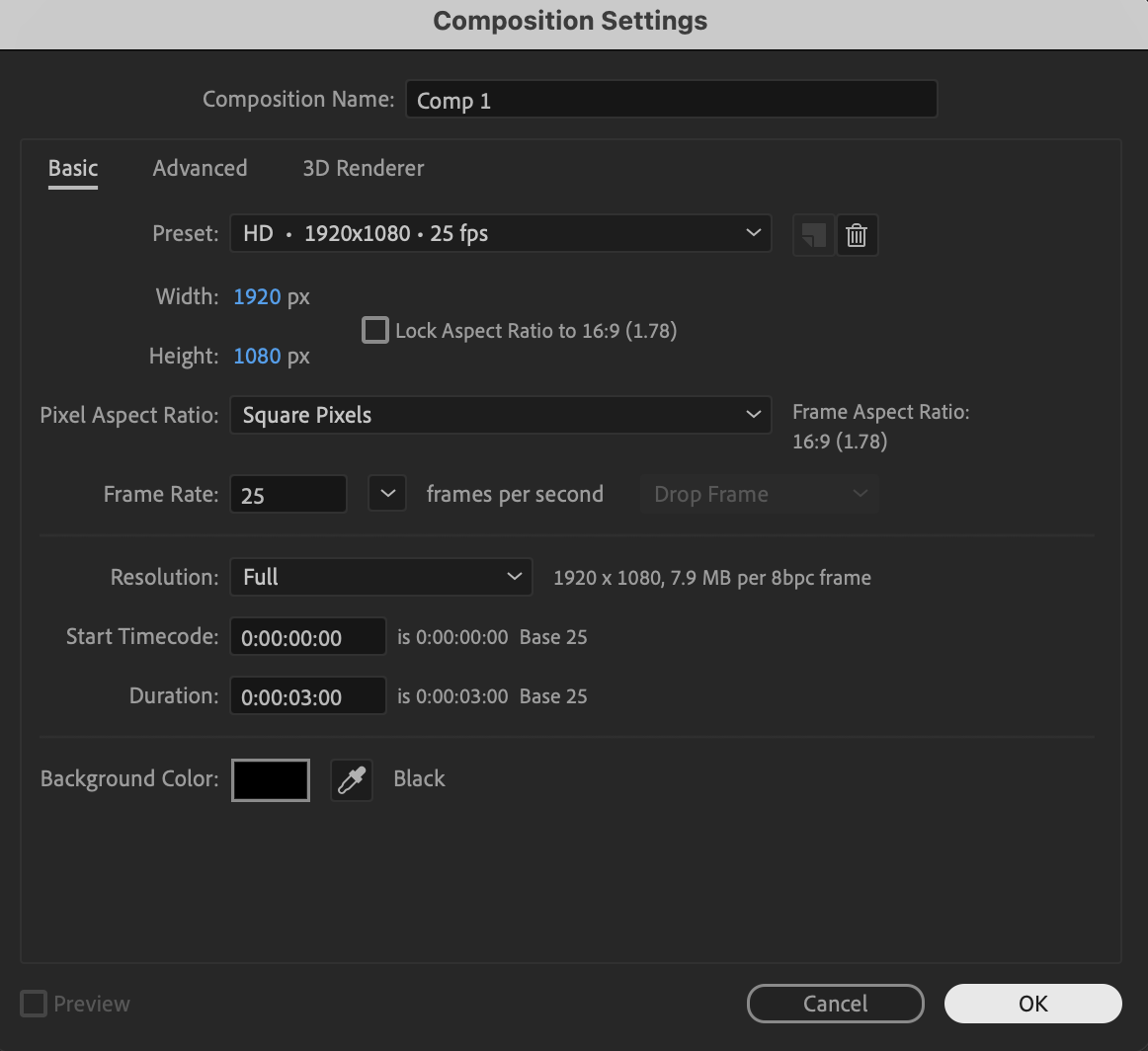
Click New Composition, choose your resolution and frame rate, and press OK to create your working timeline.
 Step 3: Add the Logo to the Timeline
Drag your logo from the Project panel into the Timeline panel so it appears inside the composition.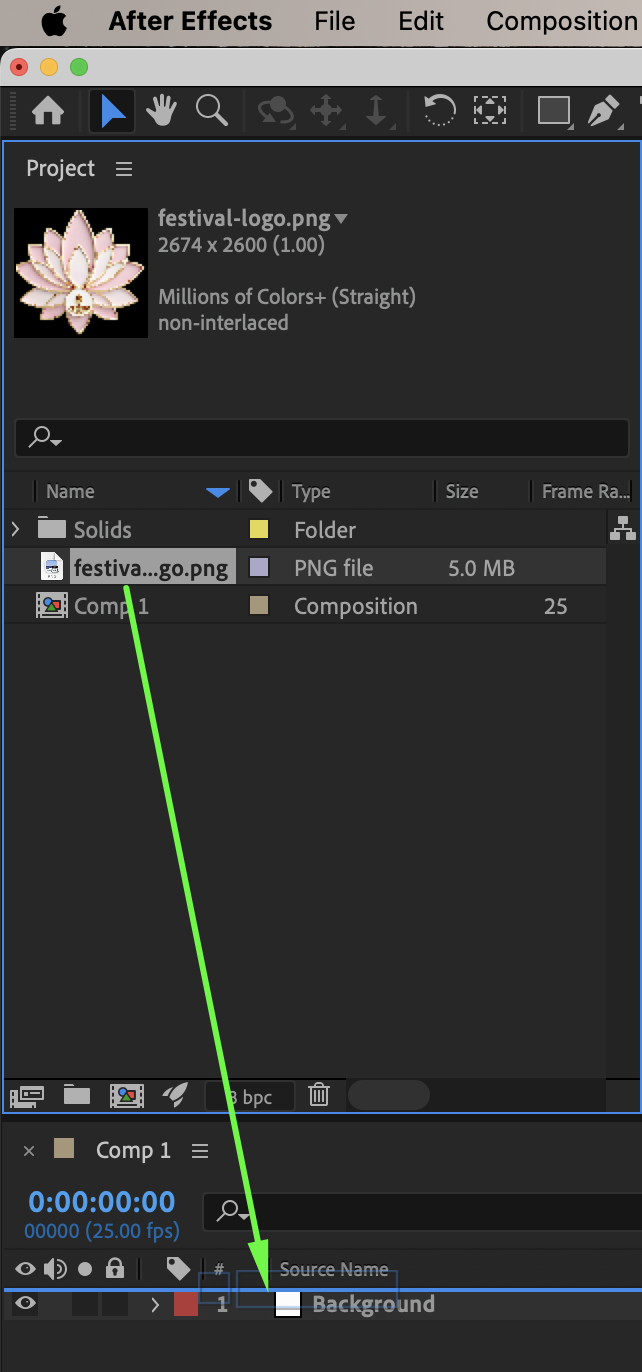
Get 10% off when you subscribe to our newsletter

Step 4: Set the First Keyframes
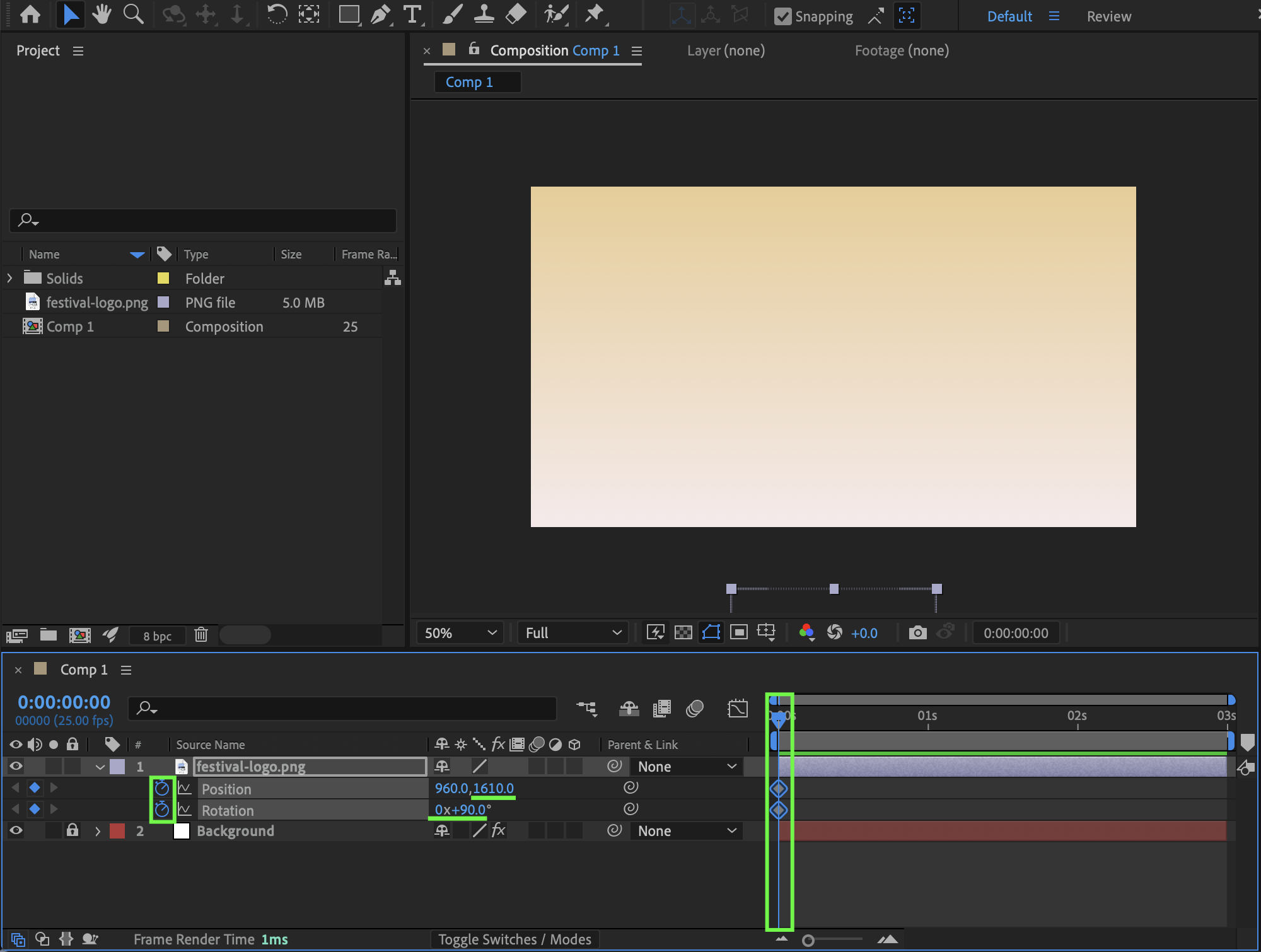
Move the Current Time Indicator (CTI) to the beginning of the timeline, press R to reveal Rotation and P to reveal Position, then enable the stopwatch for both properties; set Rotation to 90° and set the Y Position value to 1610 (or any value that places the logo below the composition so it is not visible).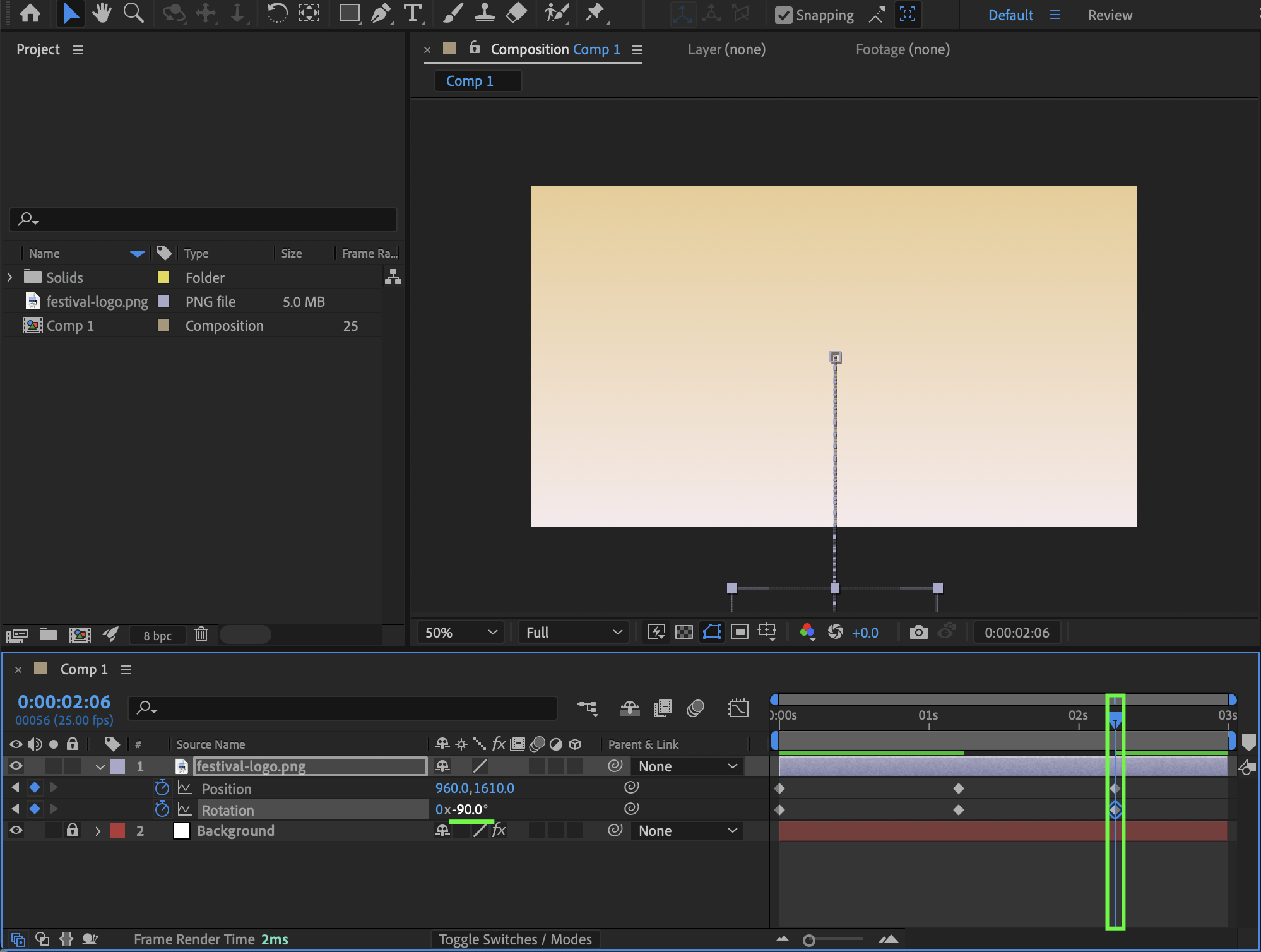 Step 5: Set the Second Keyframes (Landing Position)
Move forward 30 frames, then set Rotation to 0° and change Position to its final centered value (for example 960, 540 for a 1920×1080 composition).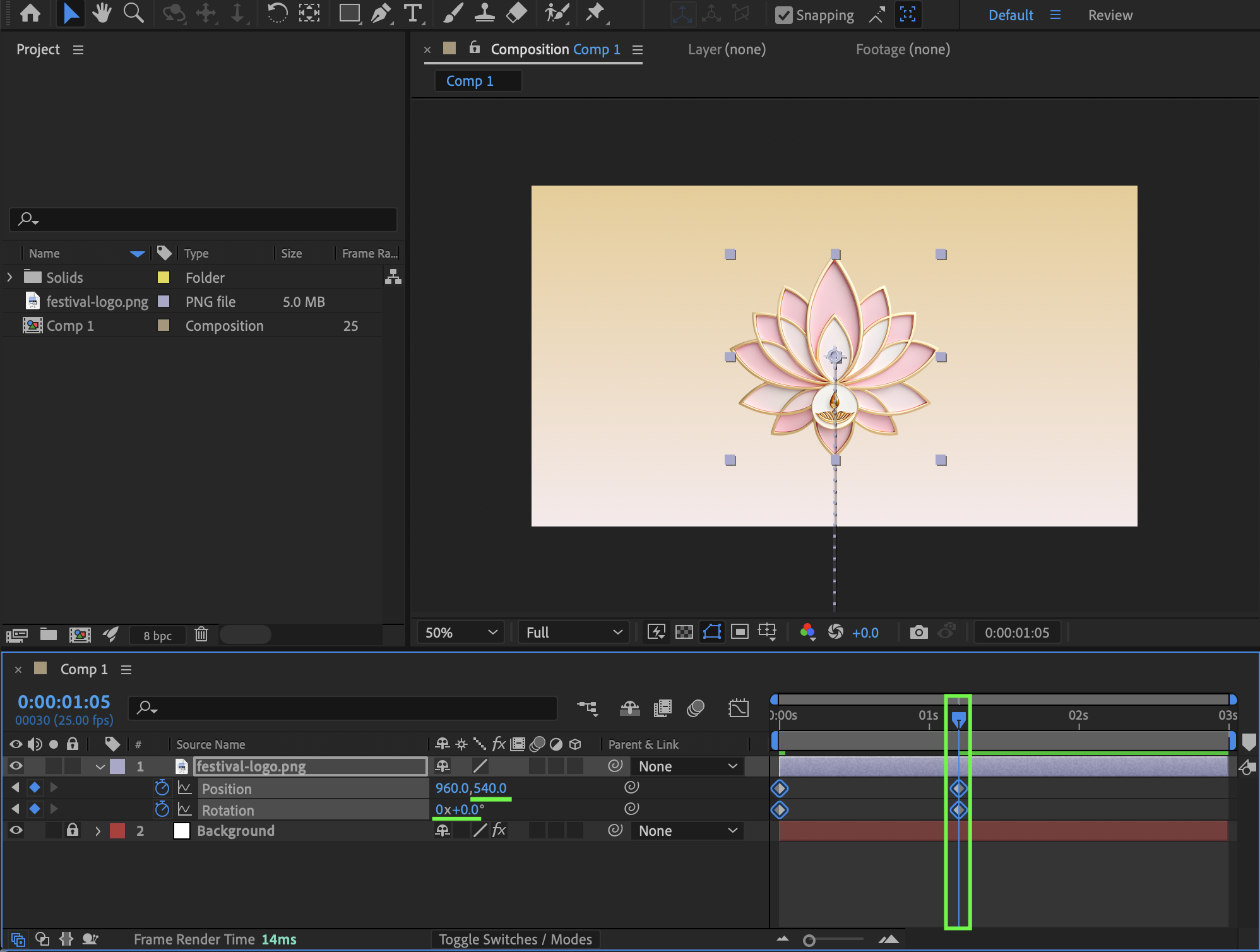 Step 6: Create the Bounce Back
Move forward another 30 frames, copy the first keyframe (Y position 1610) and paste it at the current time, then change the Rotation value to –90° to create a natural rebound motion.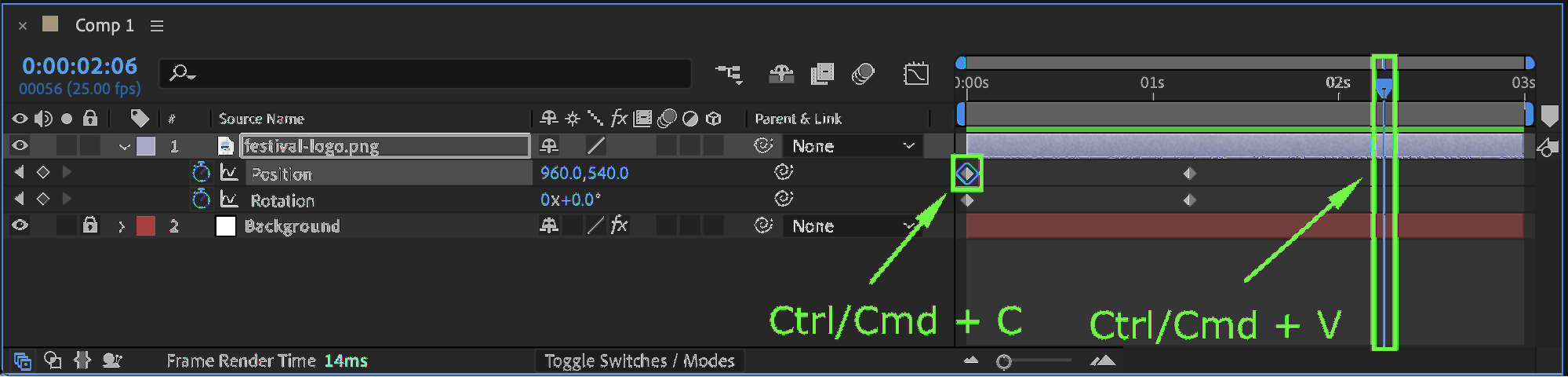
Step 7: Apply Easy Ease
Select all keyframes and press F9 to apply Easy Ease, which smooths the motion and removes linear movement.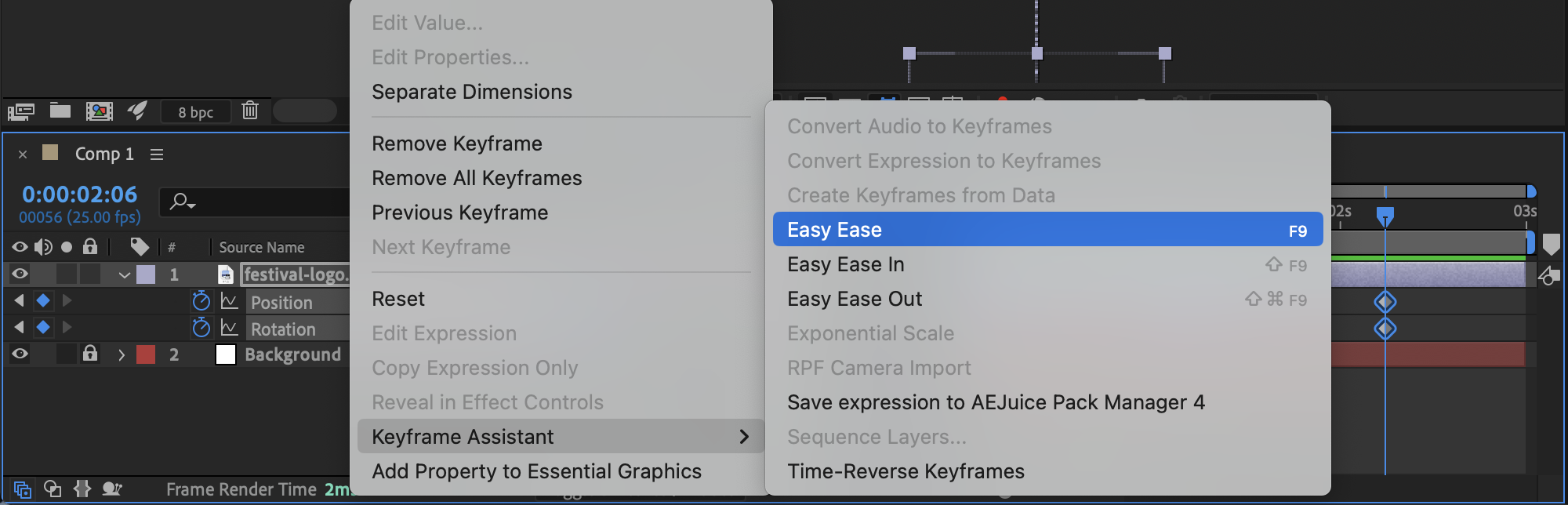
Step 8: Refine Motion in the Graph Editor
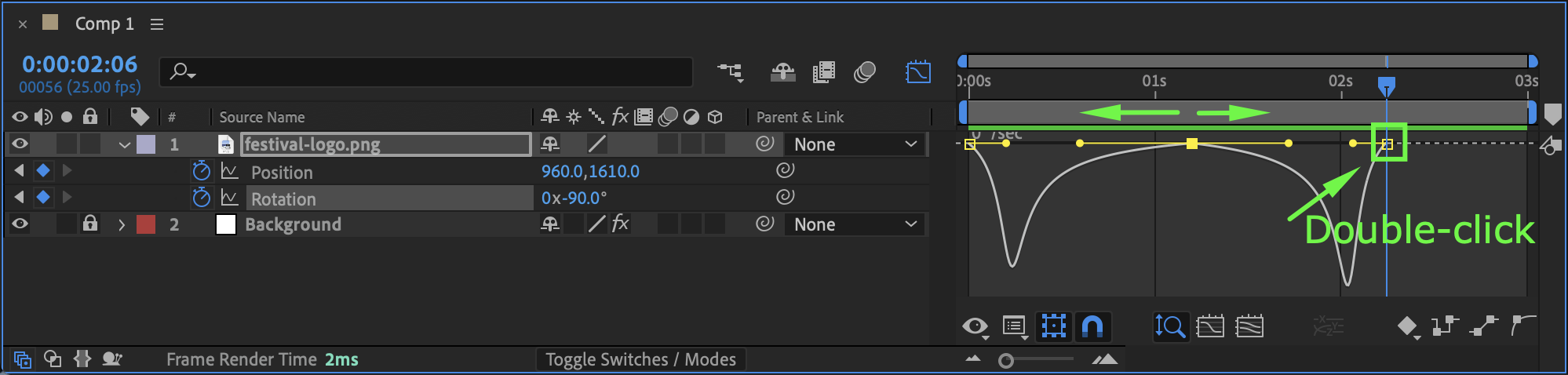
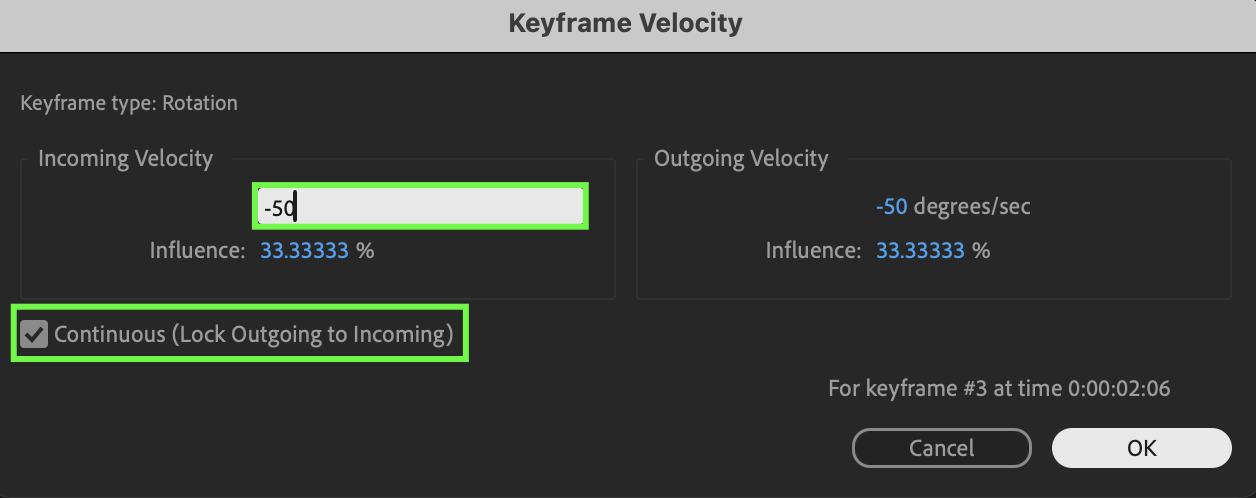
Open the Graph Editor, switch to Edit Speed Graph, and adjust the Position curve so it forms a shape similar to a long letter “M,” then adjust the Rotation curve in a mirrored (inverted) shape; double-click the yellow keyframe handle (the base of the curve), enable Continuous, and set the Incoming Velocity to –50 degrees/sec for smoother motion control.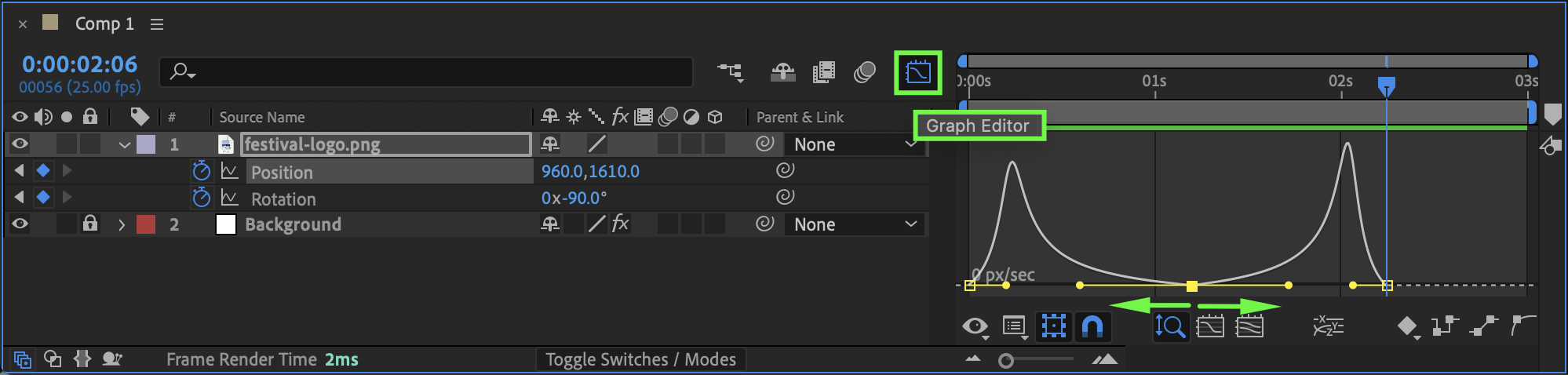
 Step 9: Preview the Animation
Press Spacebar or use RAM Preview to play the animation and fine-tune the curves if needed for a more dynamic jump effect.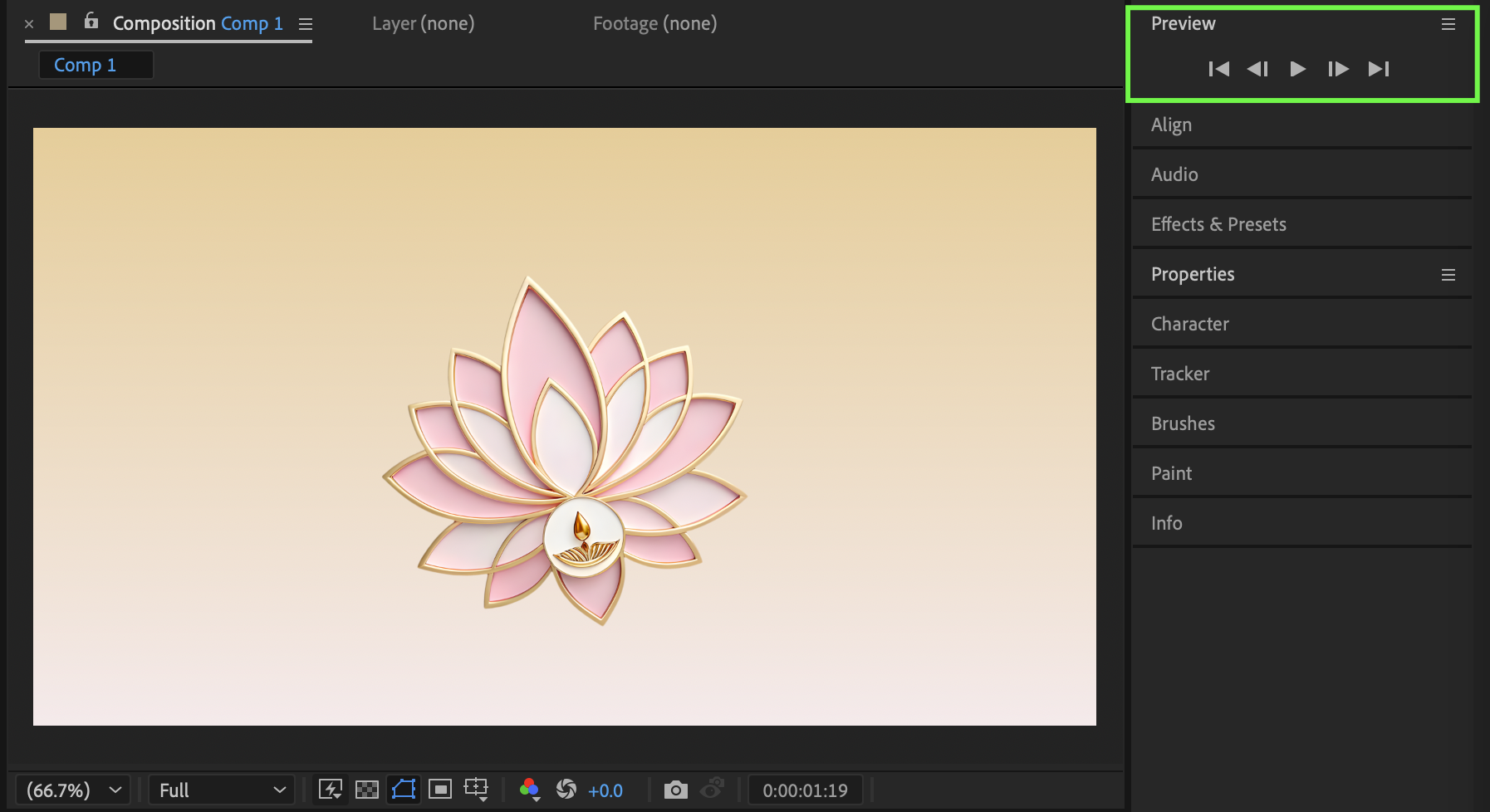
Conclusion
By animating Position and Rotation keyframes, applying Easy Ease, and refining the motion using the Speed Graph, you can create a clean and dynamic jumping logo animation in After Effects. Mastering these techniques allows you to build professional logo intros with smooth, energetic movement.
Our Bestsellers
Our Bestsellers


