Introduction
Animating a car driving along a road is a great way to practice motion paths and realistic movement in After Effects. By creating a custom road shape and using its path to drive the car’s position, you can achieve smooth and natural animation. In this tutorial, you’ll learn how to design the road, create markings, and animate the car step by step.
Step 1: Import the Car Image
Go to File → Import → File and select your car image to bring it into the Project panel.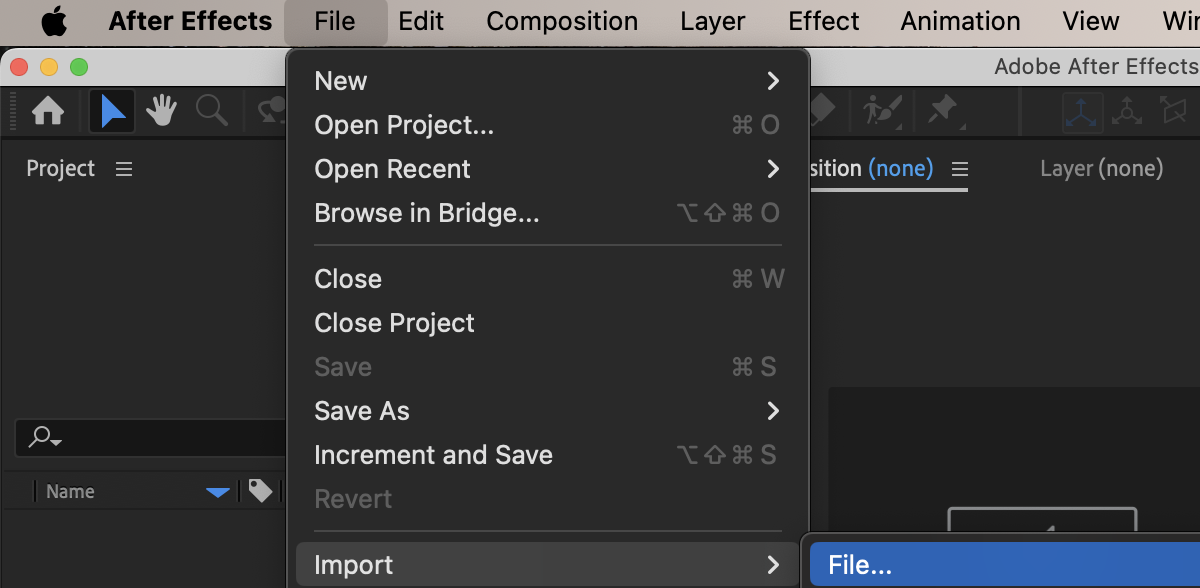 Step 2: Create a New Composition
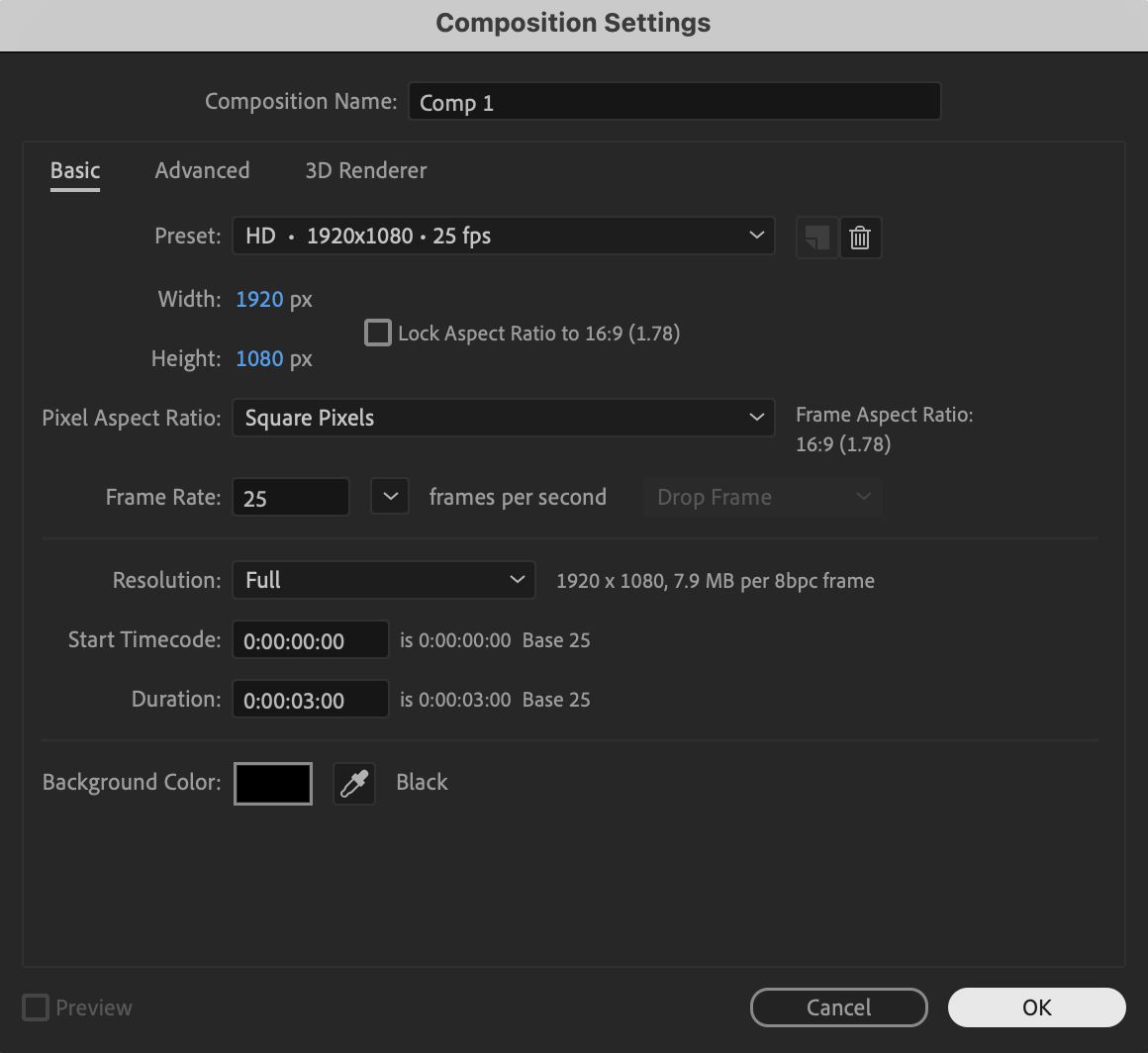
Click New Composition, choose your desired resolution and frame rate, and press OK to create your working timeline.
 Step 3: Create the Road
Select the Pen Tool (G) and draw a narrow, curved rectangular shape to form a winding road, then set the Fill color to a dark gray-blue to resemble asphalt and set the Stroke to White with 16 px width to imitate road edges, then rename the layer “Road.”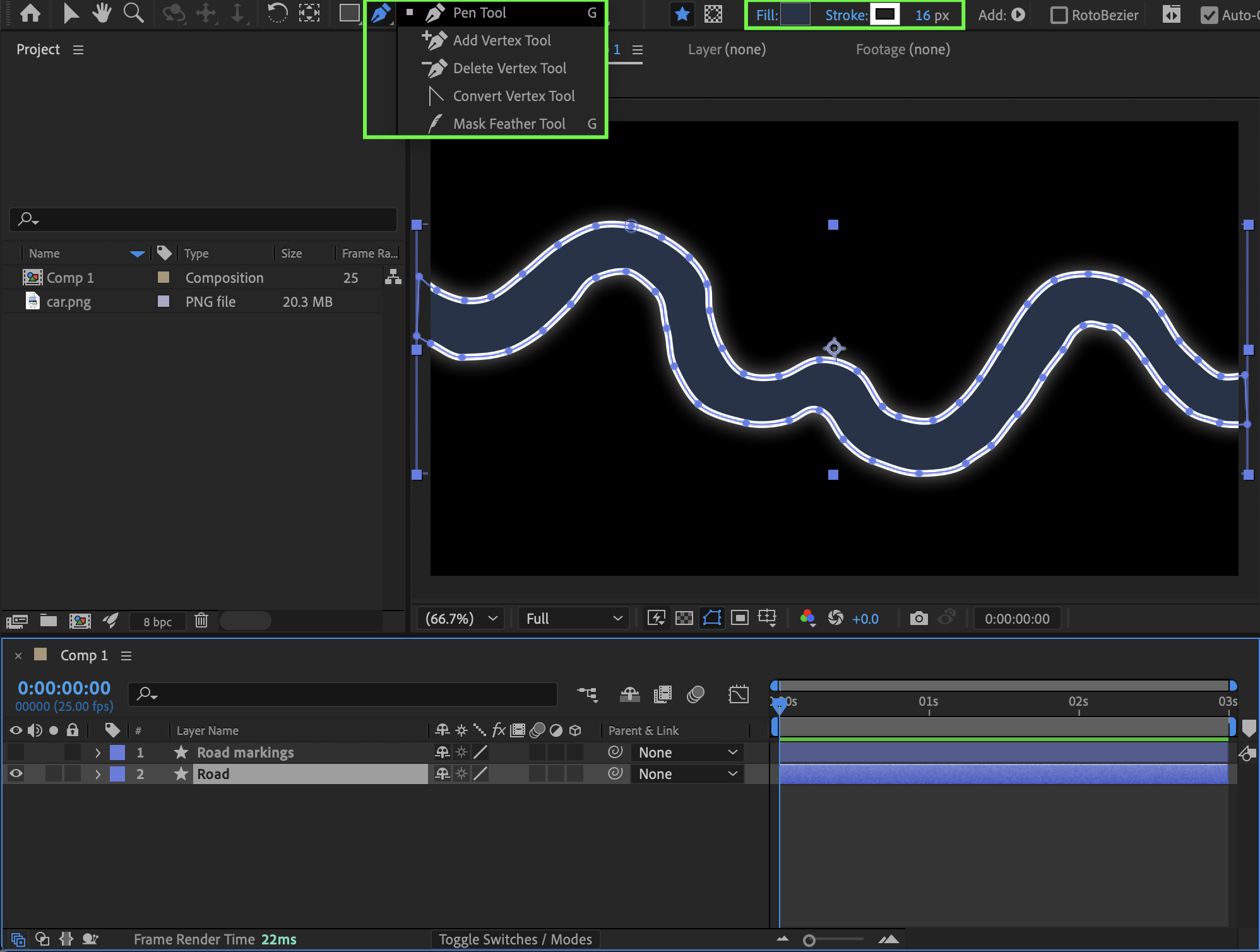
Get 10% off when you subscribe to our newsletter

Step 4: Create Road Markings
Using the Pen Tool (G) again, draw a line along the center of the road with Fill set to None and Stroke set to White at 7 px, then expand the layer properties and set Line Cap to Round Cap, Line Join to Round Join, add Dashes, set Dash to 50 and Offset to 17, and rename this layer “Road Markings.”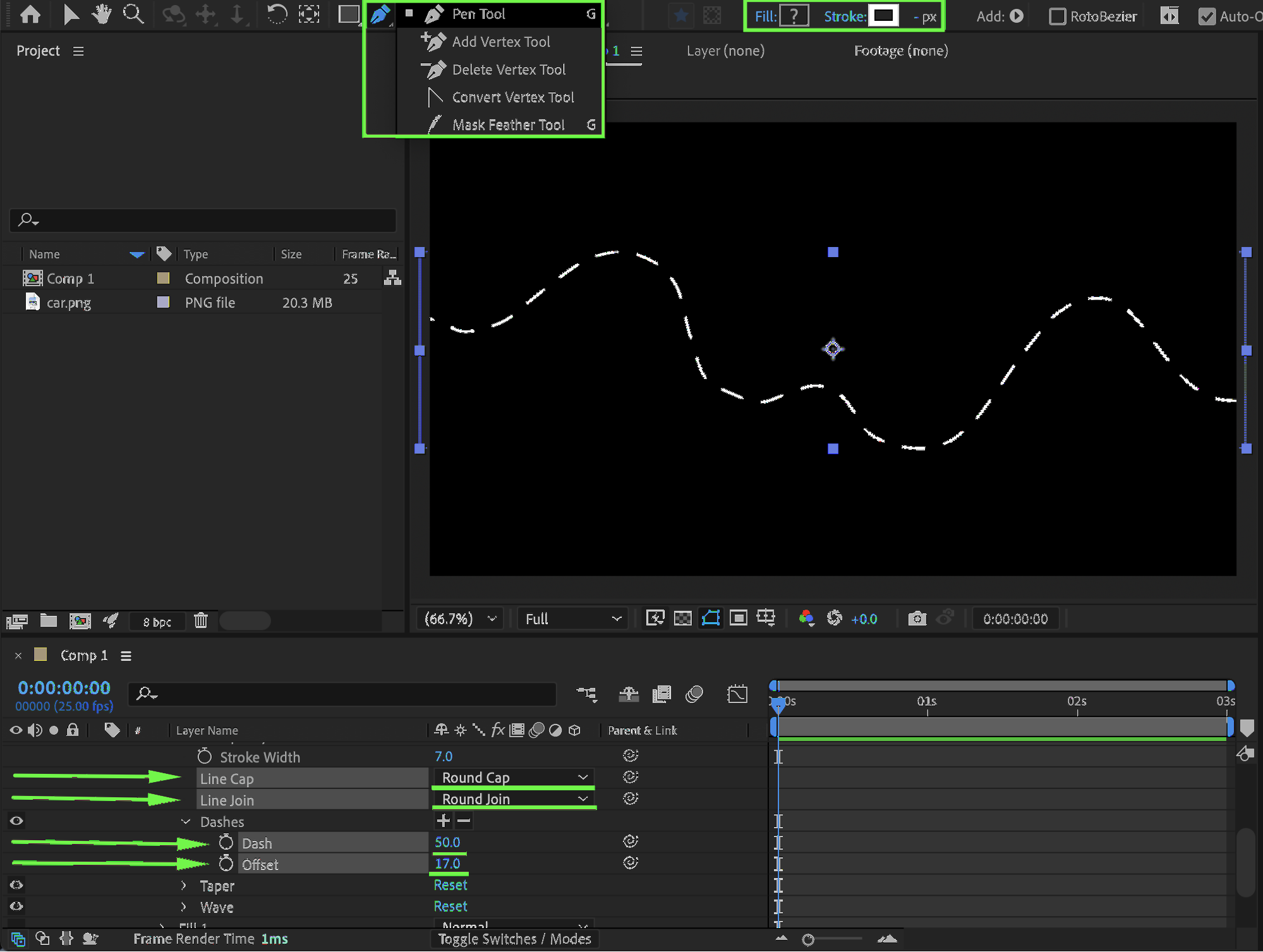
Step 5: Add the Car to the Timeline
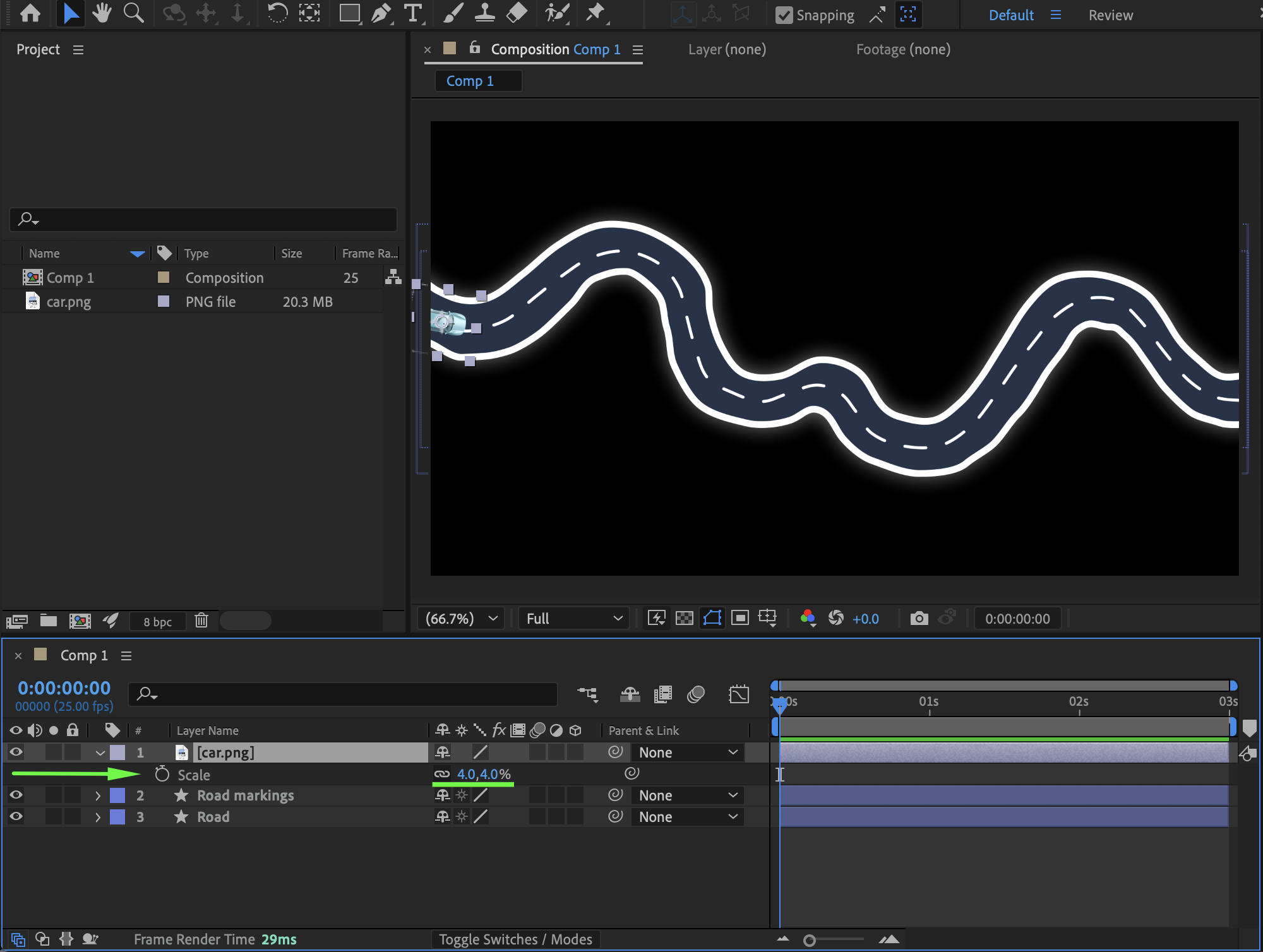
Drag the car image into the Timeline panel, then adjust its Scale (S) and Position (P) so it fits naturally on the road.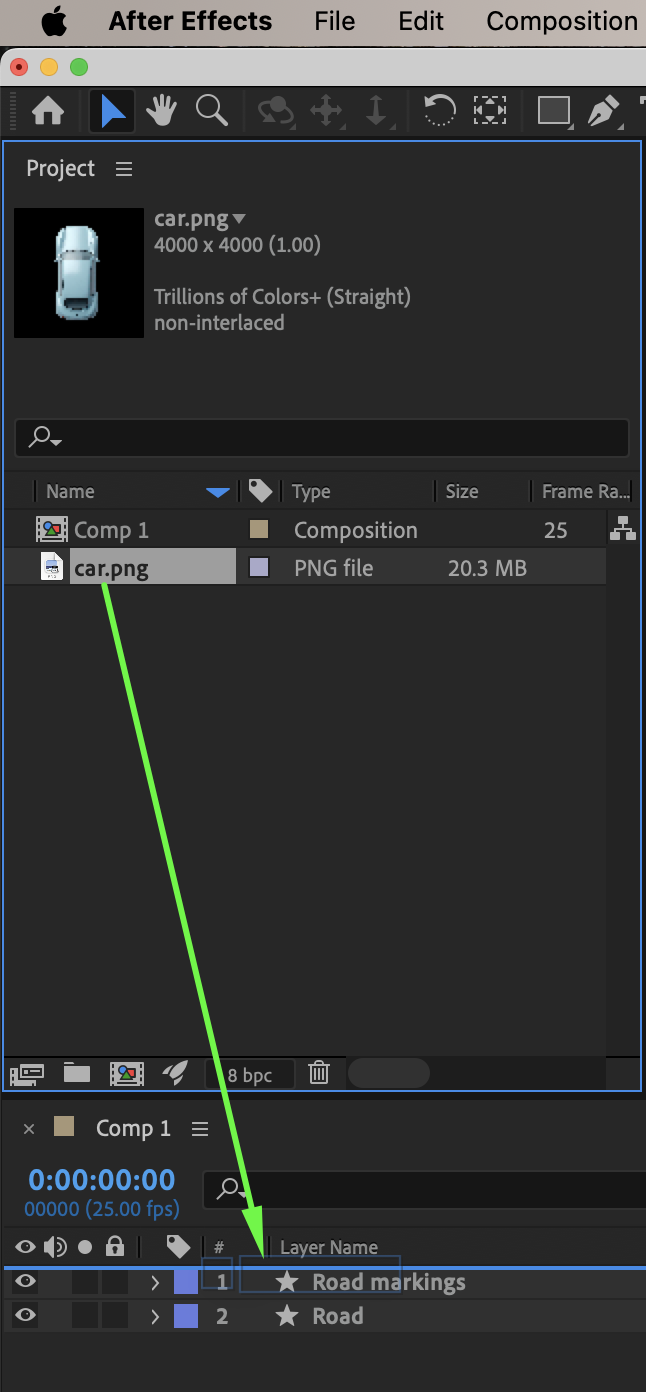
 Step 6: Attach the Car to the Road Path
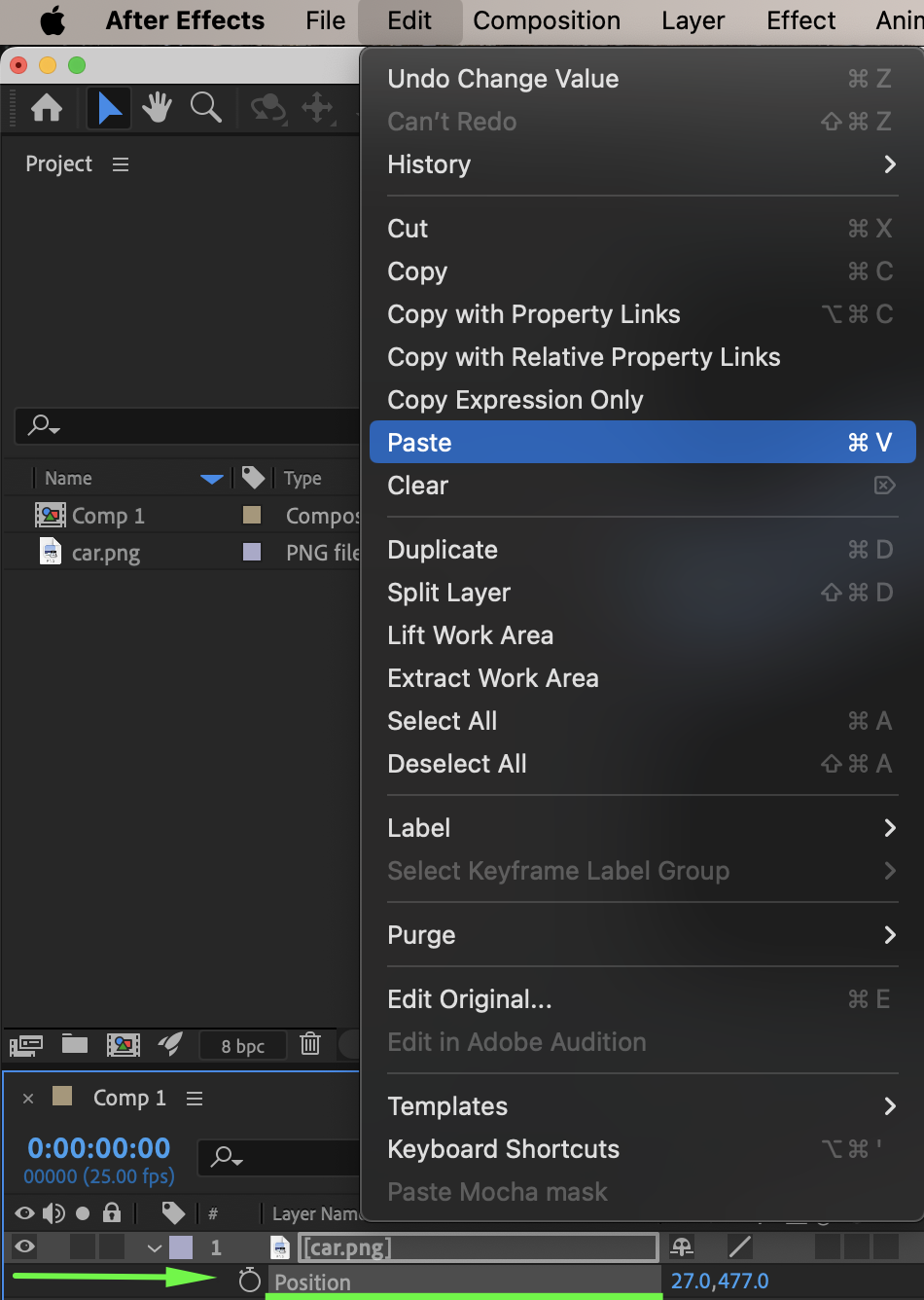
Expand the Road Markings layer properties, copy the Path property, move the Current Time Indicator (CTI) to the beginning of the composition, select the car layer’s Position property, and paste the path to automatically convert it into a motion path for the car.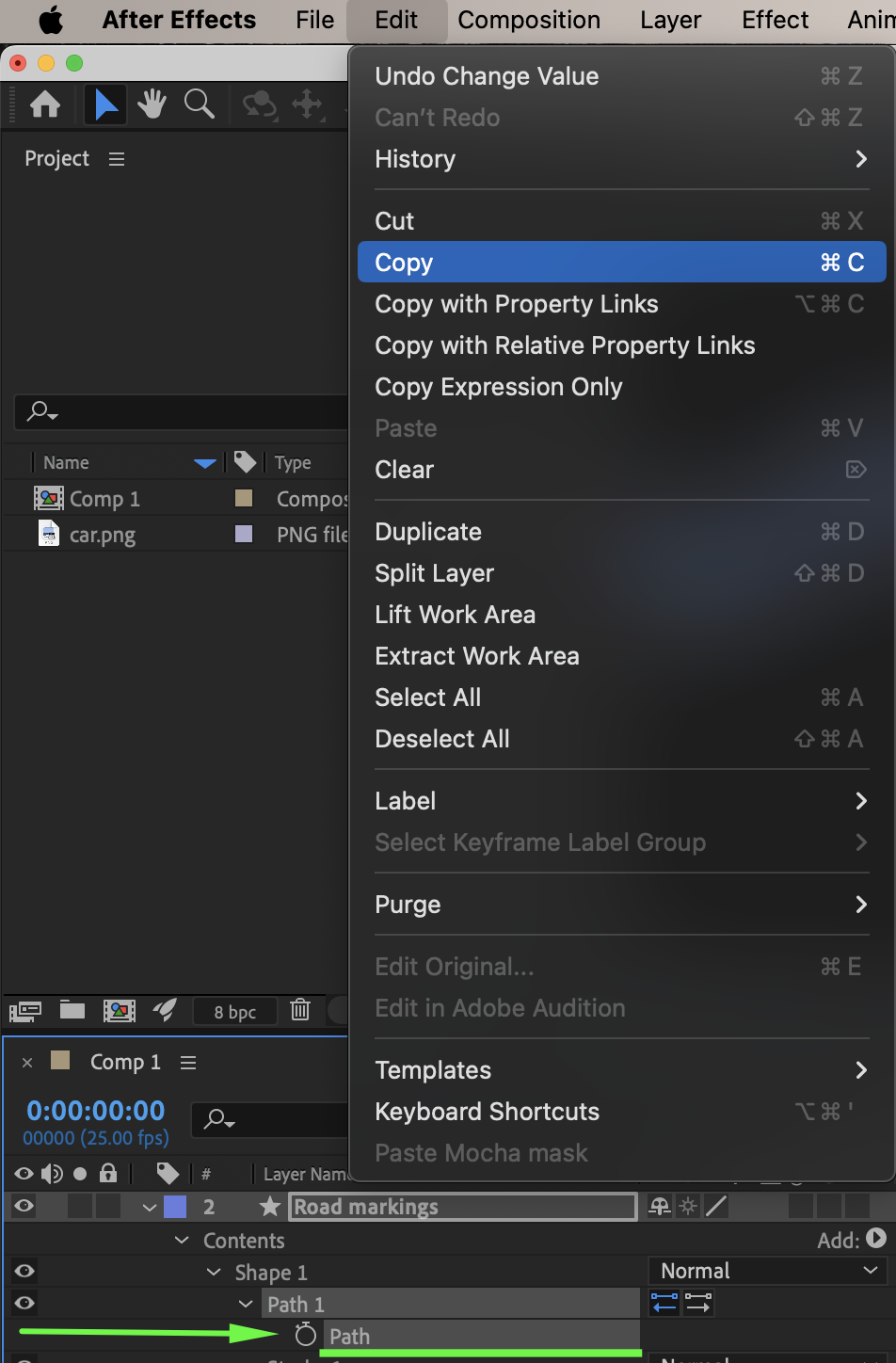
Step 7: Animate Rotation for Realism
Select the car layer, press R to reveal Rotation, and slightly adjust rotation values where needed along curves to make the movement feel more realistic as the car turns.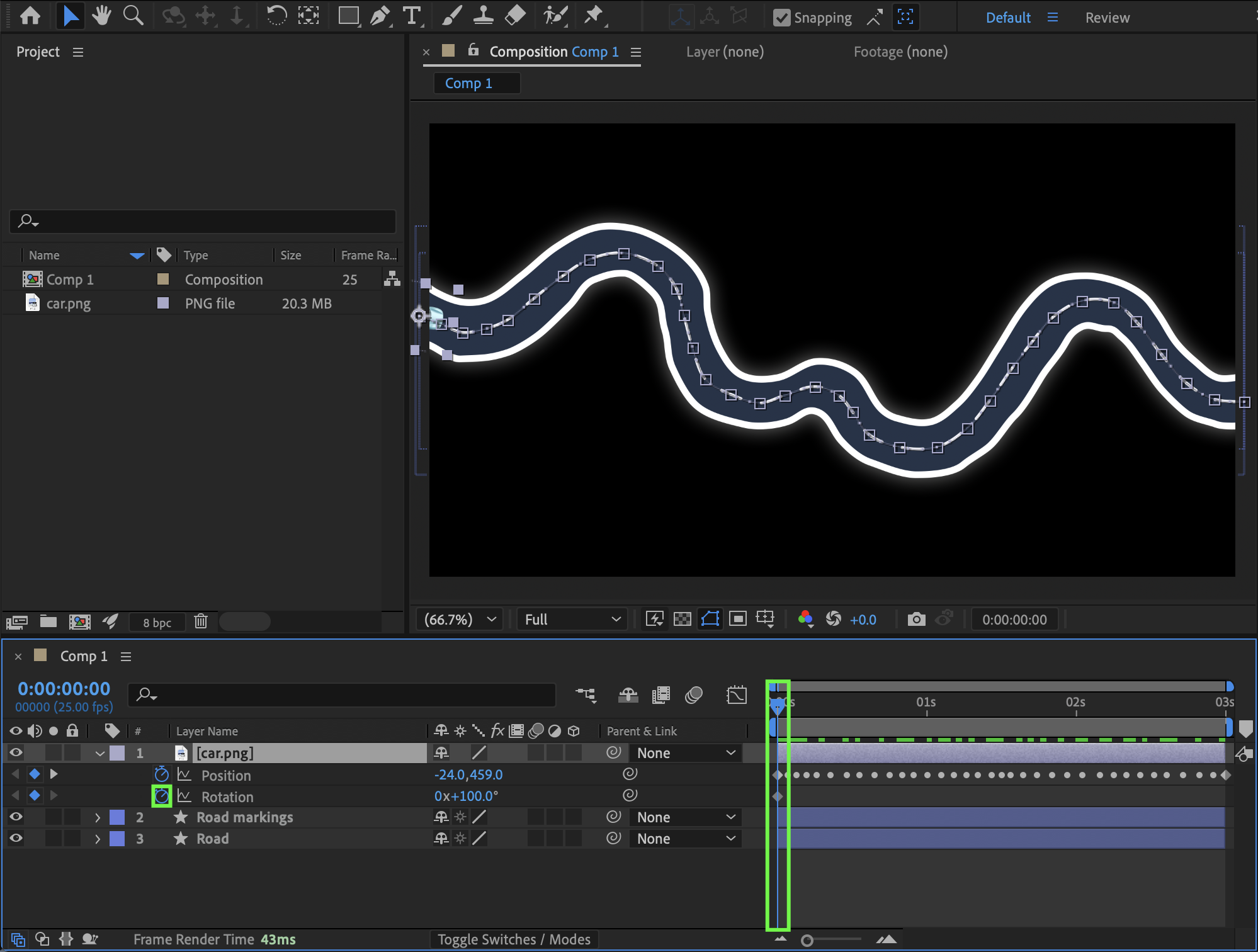
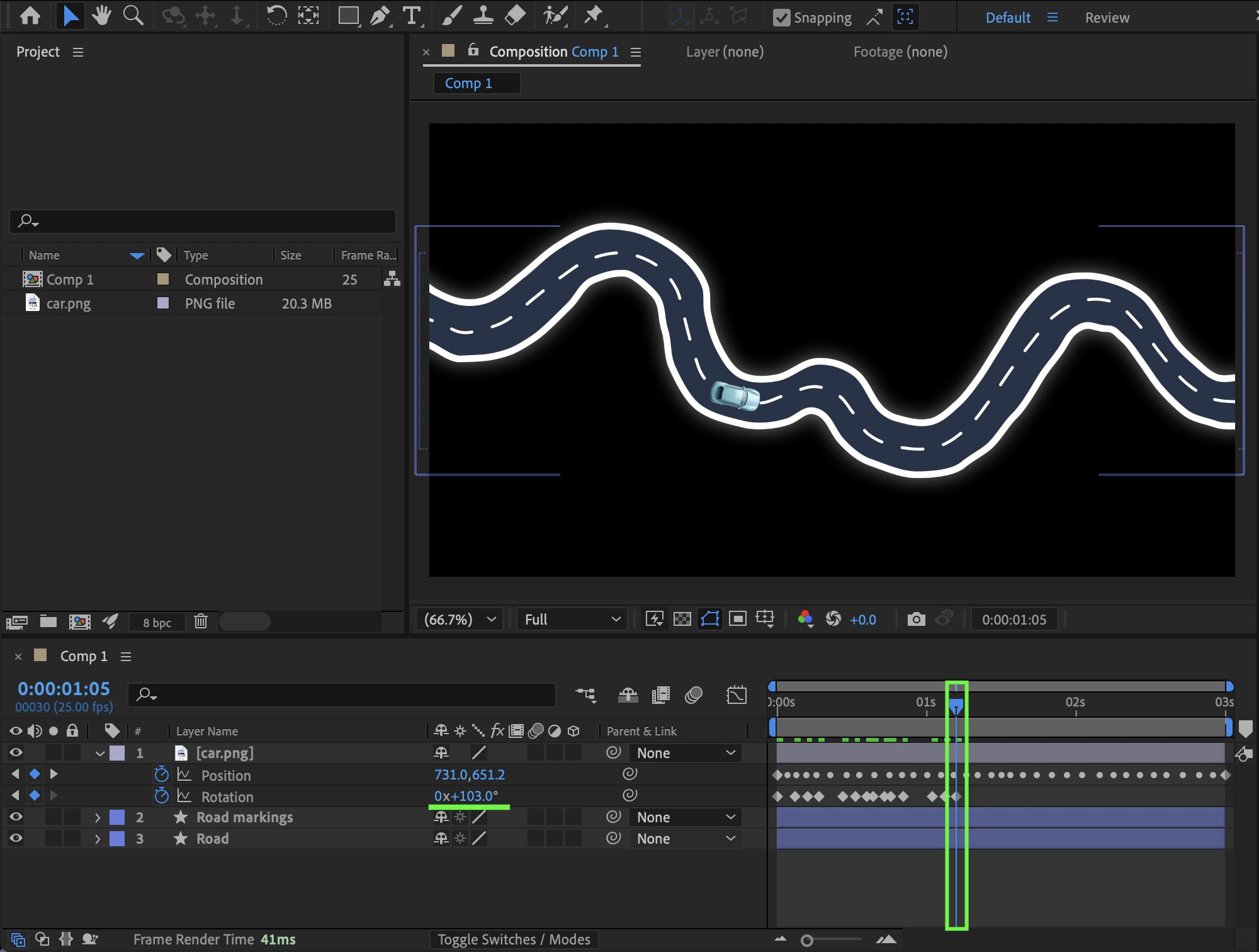 Step 8: Enable Motion Blur
Enable Motion Blur in the composition by clicking the Motion Blur switch in the Timeline and activating it both for the composition and for the car layer to create more natural movement.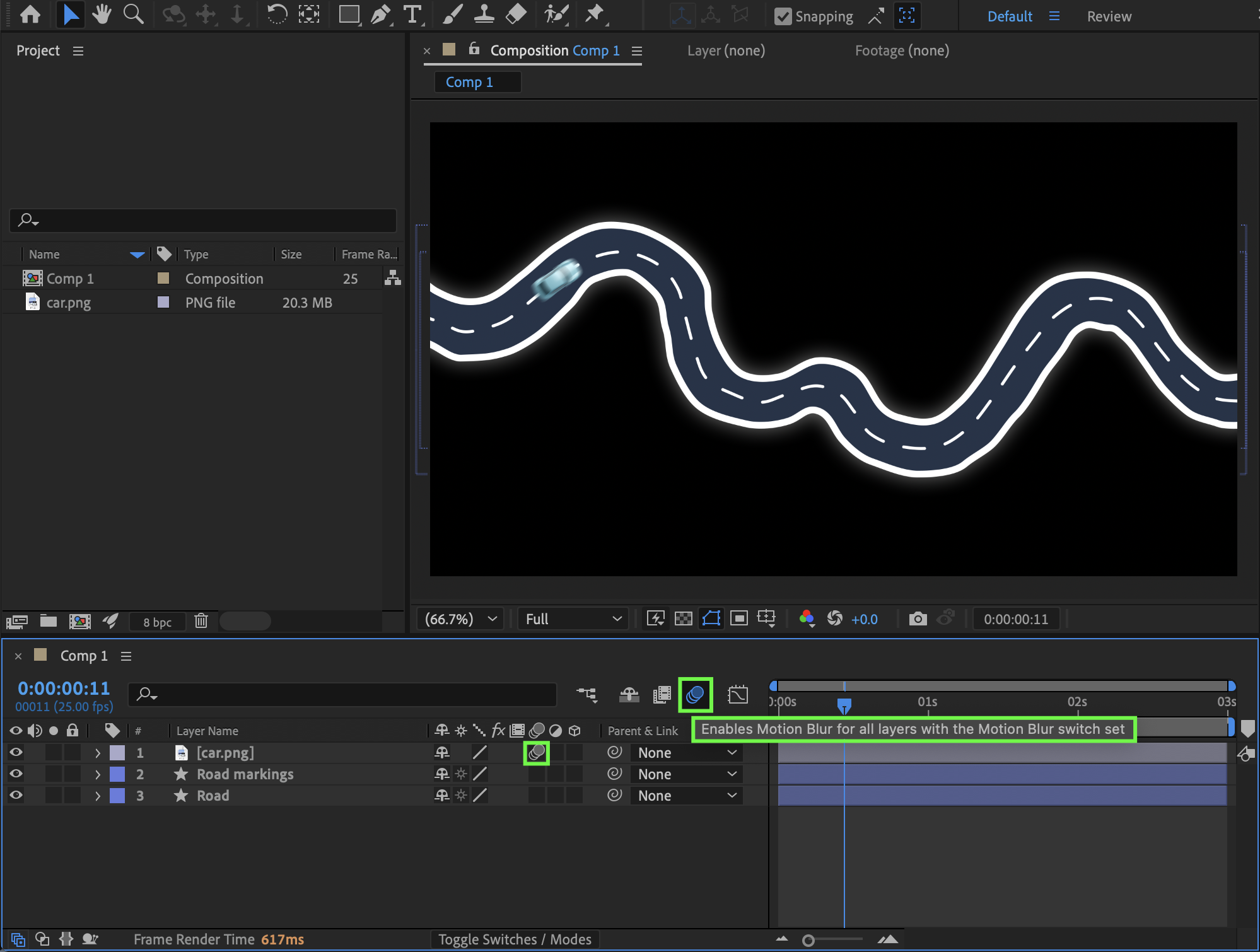 Step 9: Preview the Animation
Press Spacebar or use RAM Preview to play the animation and refine timing, rotation, or motion blur settings if necessary.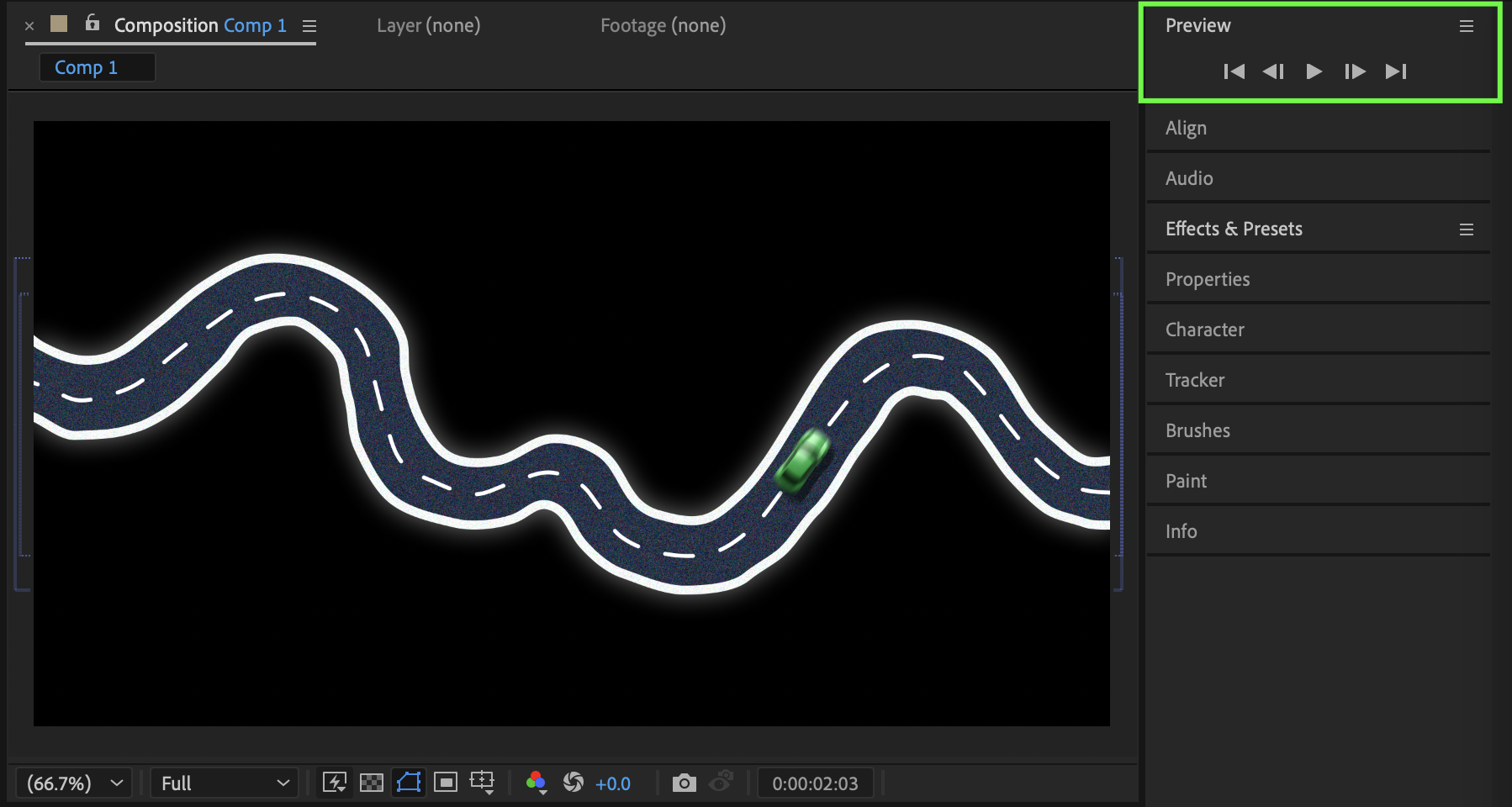
Conclusion
By creating a custom road path and applying it to the car’s Position property, you can easily animate a vehicle driving along a winding road in After Effects. Adding rotation adjustments and motion blur enhances realism and gives your animation a smooth, professional finish.
Our Bestsellers
Our Bestsellers


