Introduction
A broken lens transition creates the illusion of glass cracking between two clips, adding a dramatic and cinematic effect. In this tutorial, you’ll learn how to build this transition using the Shatter effect in Adobe After Effects.
Step 1: Import and Sequence Your Videos
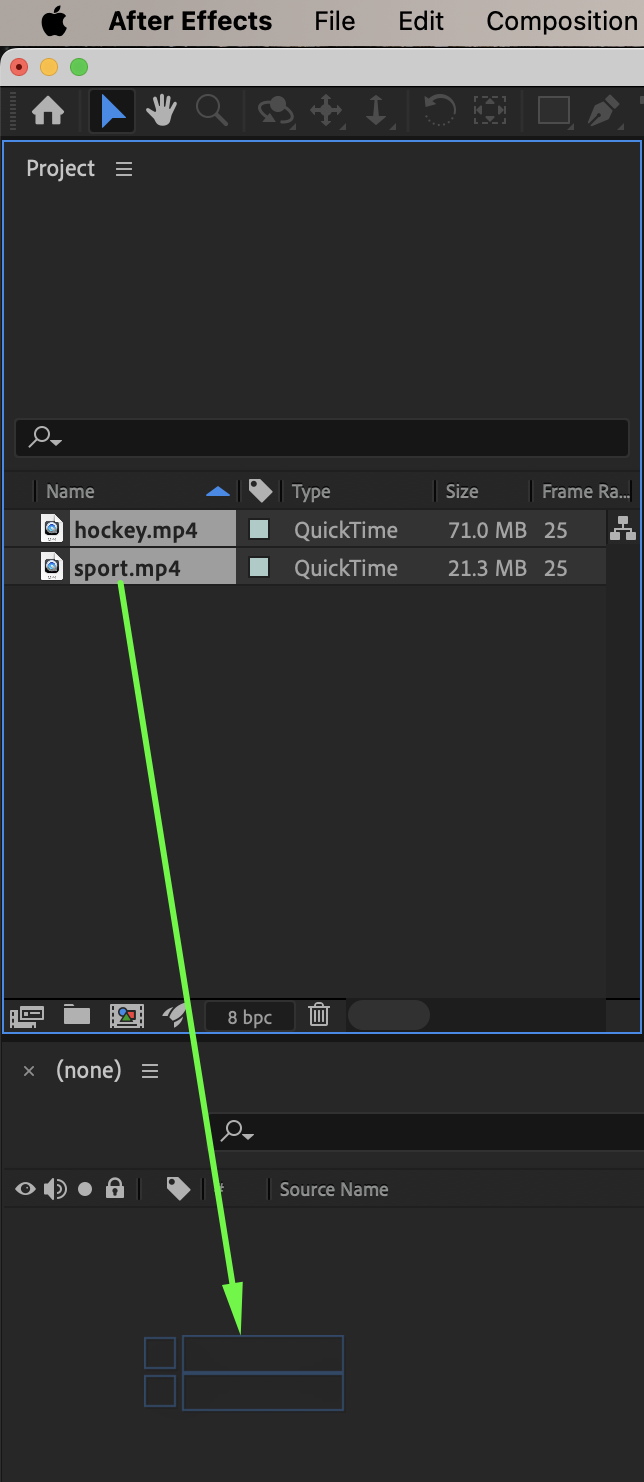
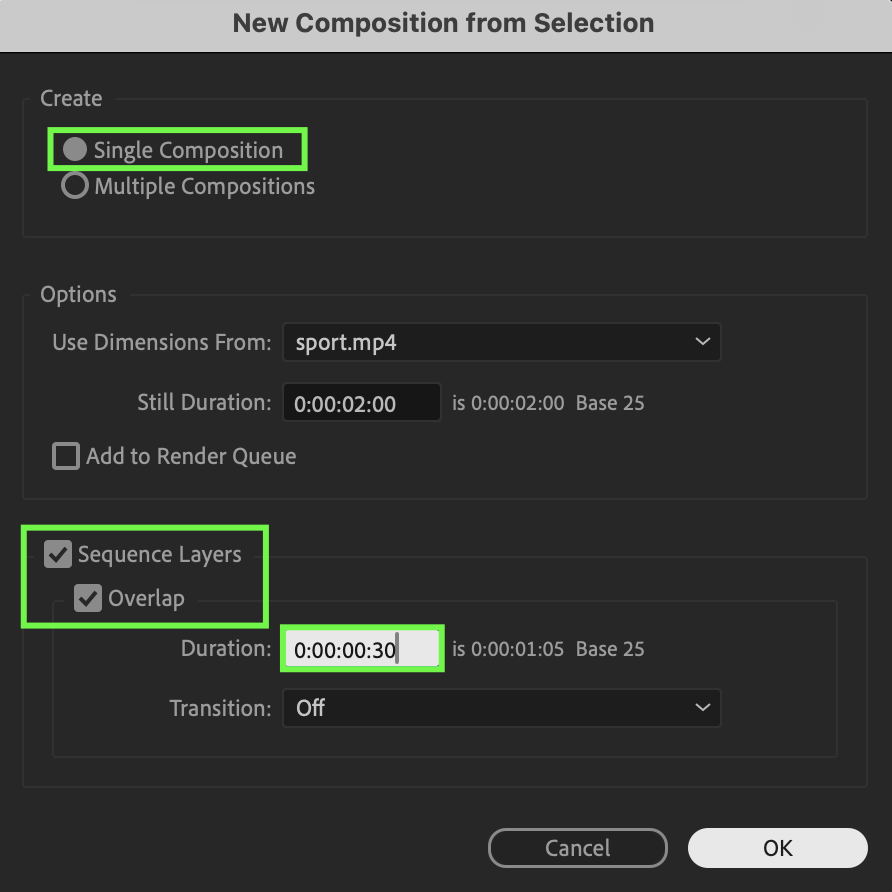
Go to File → Import → File and import your video clips. Drag both videos onto the timeline. When the New Composition from Selection window appears, choose:
Single Composition
Enable Sequence Layers
Enable Overlap
Duration: 0:00:00:30
Transition: Off
Click OK.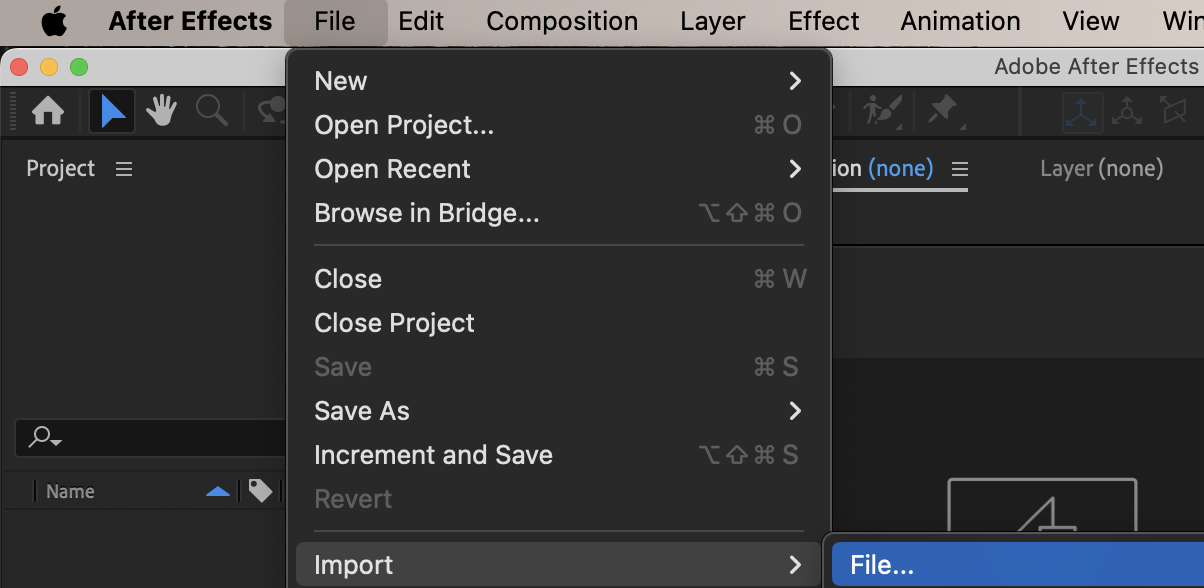
Get 10% off when you subscribe to our newsletter

Step 2: Create the Transition Segment
Duplicate the first video layer. Place the CTI at the point where the second video starts, then trim the duplicated layer using:
Alt / Option + [
You should now have a 30-frame segment from the first video overlapping the start of the second video.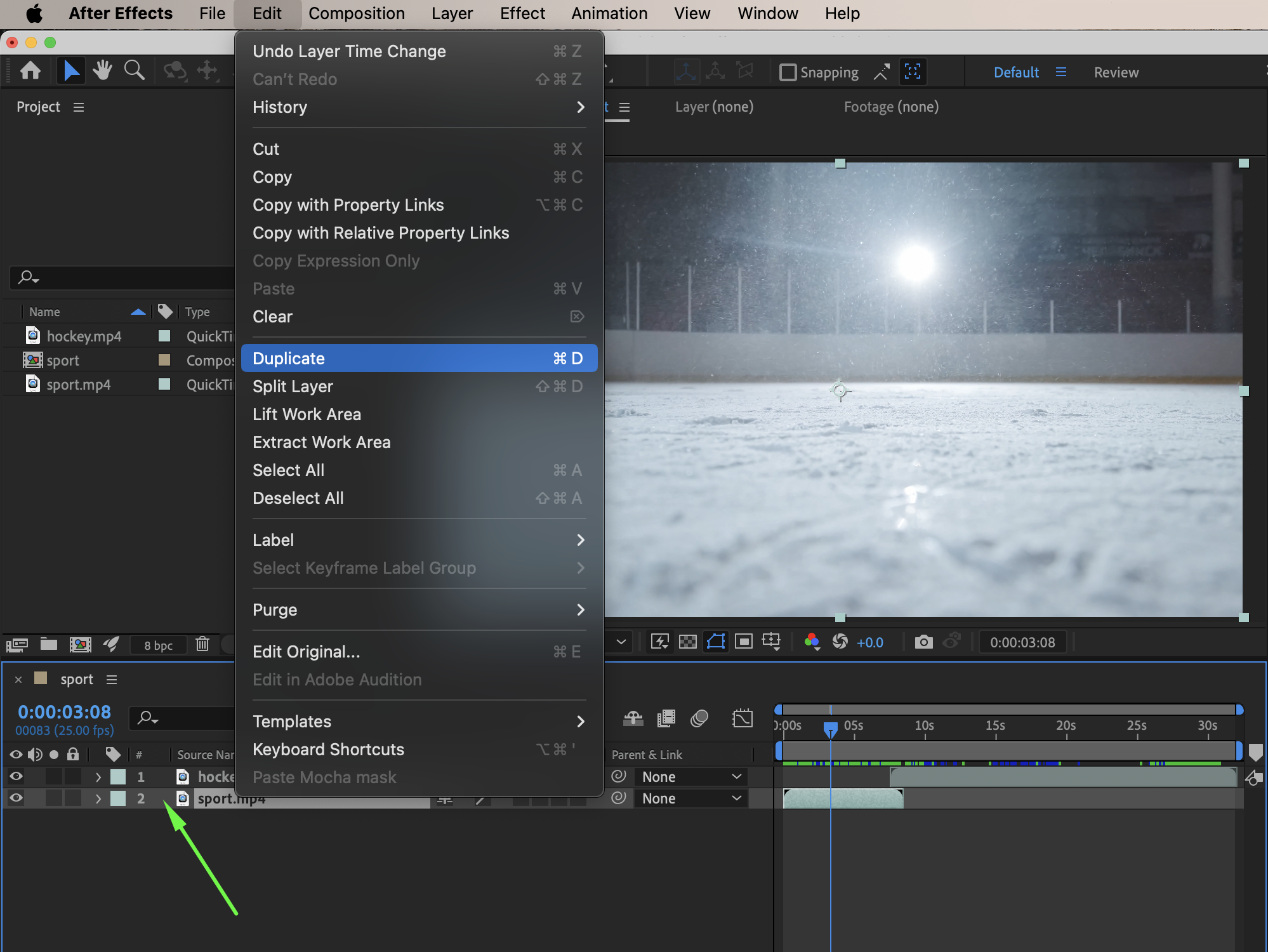
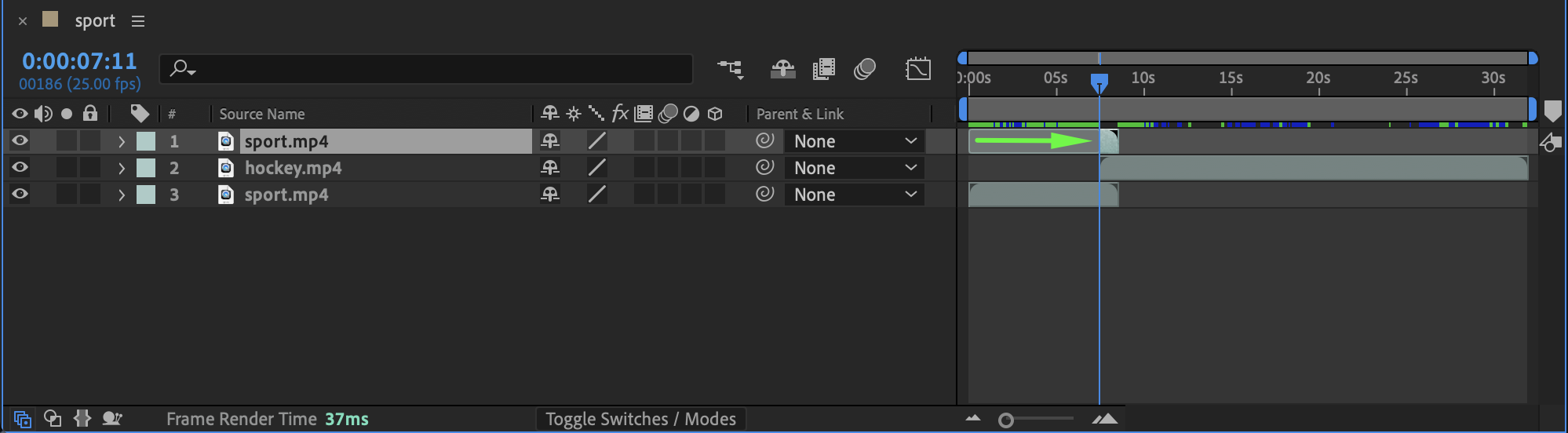 Step 3: Pre-compose the Transition Layer
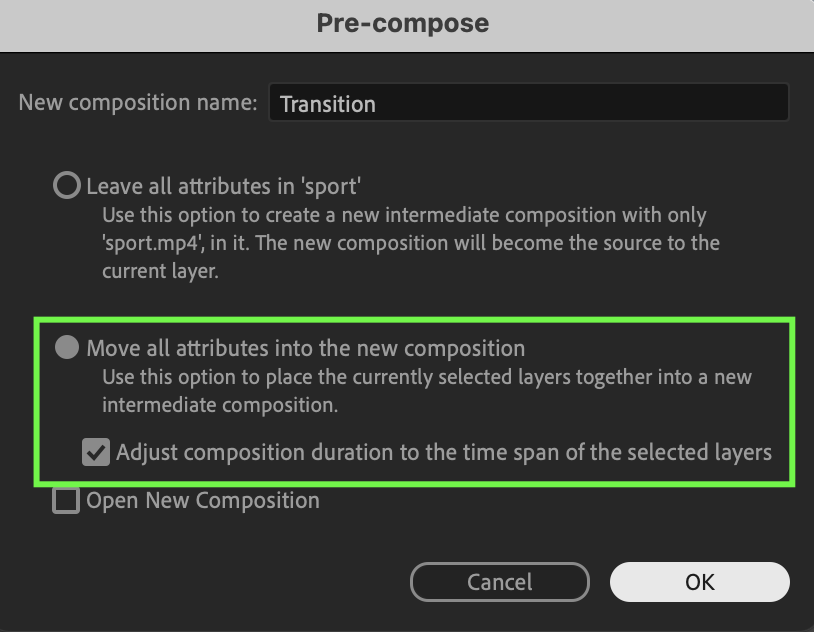
Select the trimmed video segment. Right-click and choose Pre-compose. Move all attributes into the new composition and name it Transition.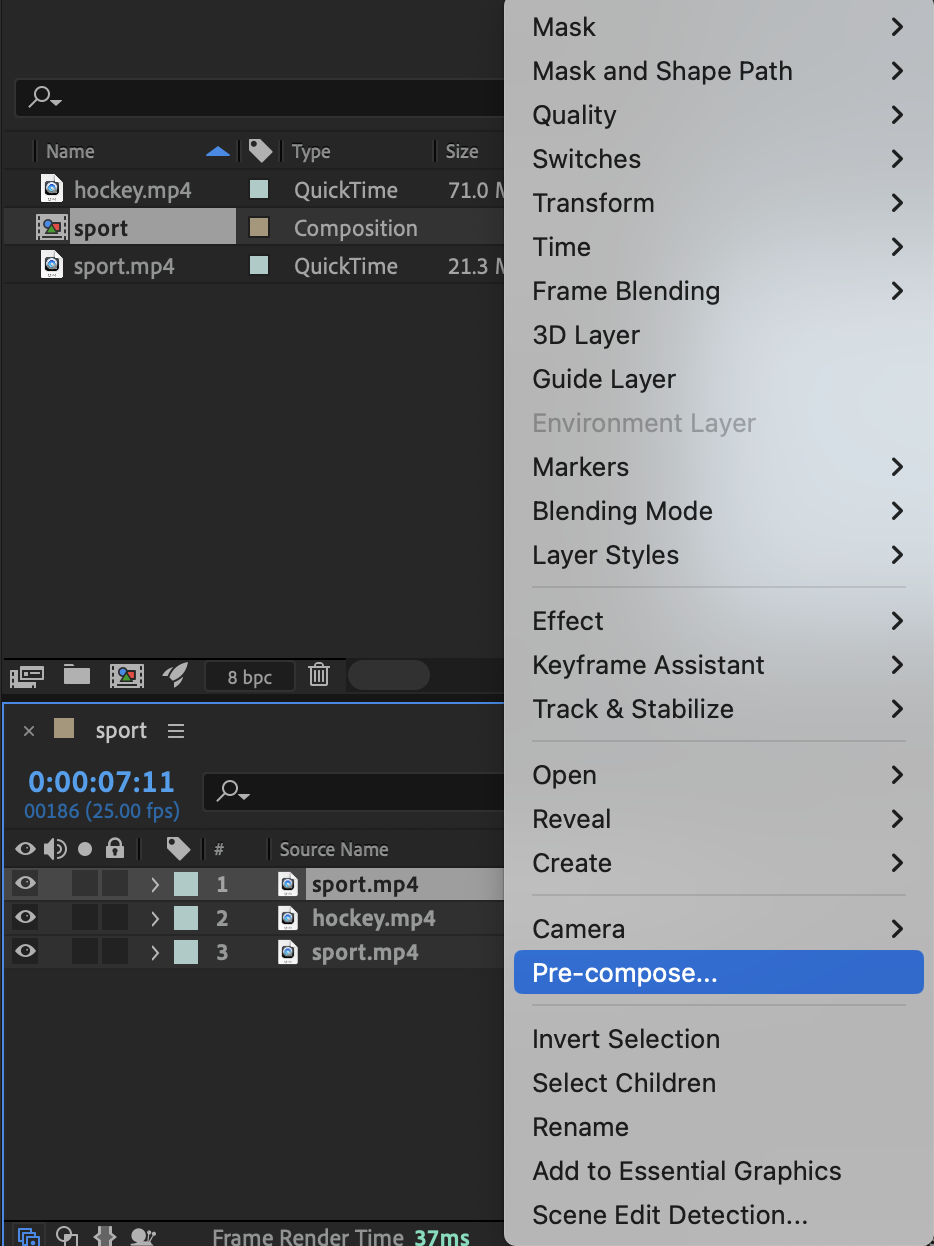
Step 4: Apply the Shatter Effect
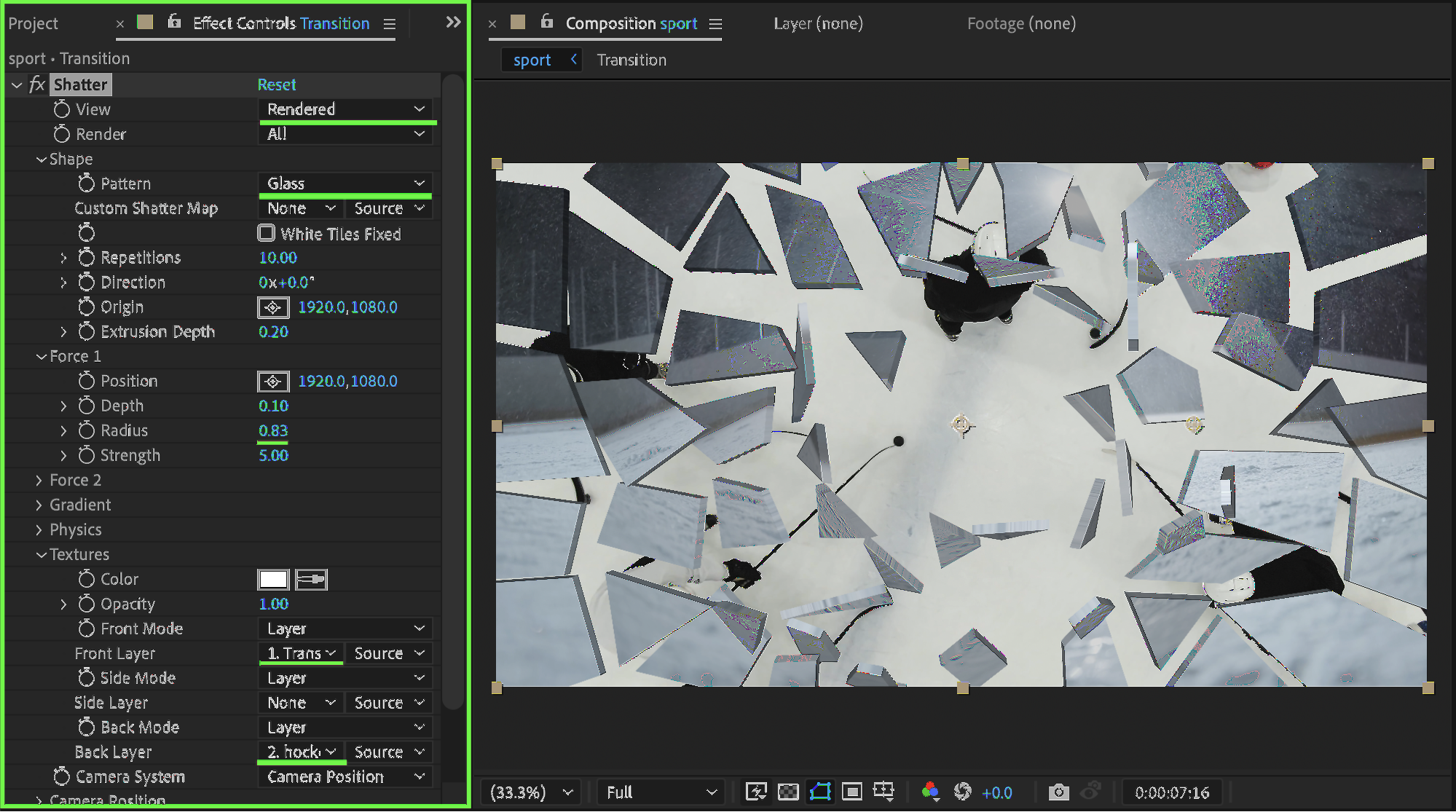
Apply the Shatter effect to the transition pre-comp. Set the following parameters:
View: Rendered
Pattern: Glass
Radius: 0.83
Front Layer: Transition pre-comp
Back Layer: Second video layer
This creates the broken lens effect between the two clips.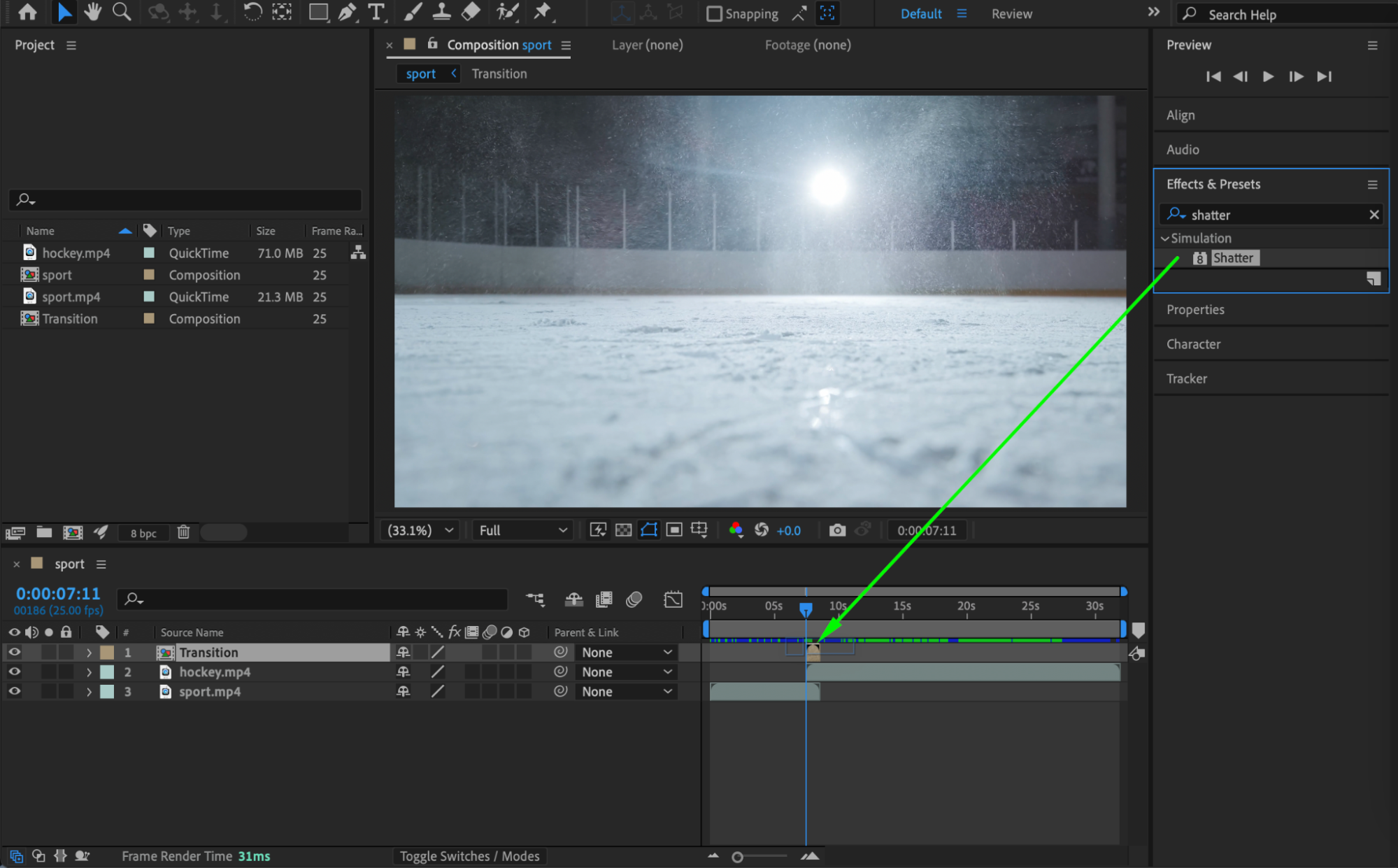
 Step 5: Preview the Result
Preview the composition and adjust the Shatter settings if needed to refine the glass-breaking transition.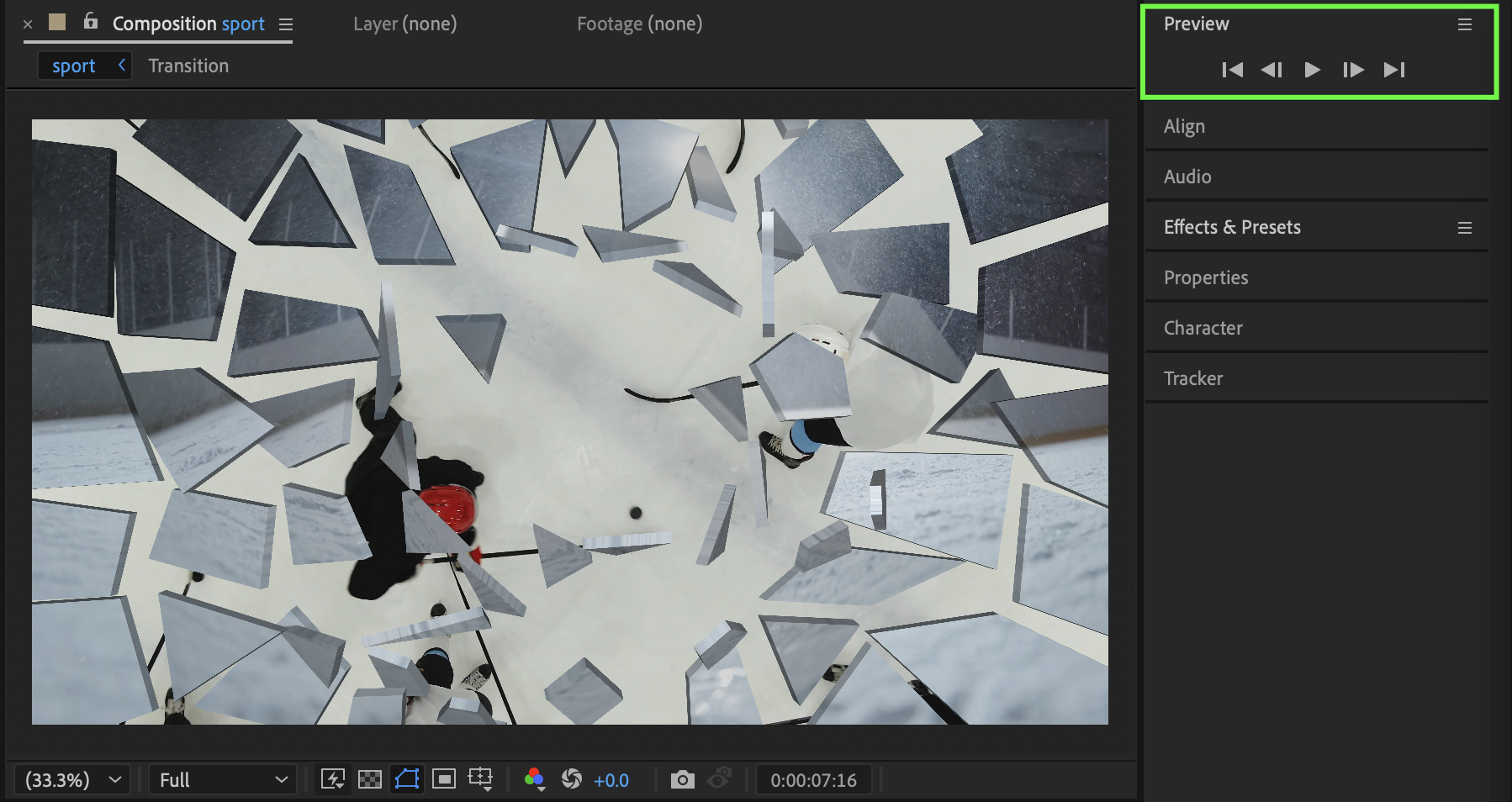 Conclusion
By duplicating footage, pre-composing a transition segment, and using the Shatter effect, you can create a convincing broken lens transition in After Effects. This technique works well for dramatic edits, trailers, and cinematic motion graphics.
Our Bestsellers
Our Bestsellers


